
AI automation · workflow engineering · RPA
AI Automation Engineer
Build the systems and portfolio to compete for automation roles.
Train across n8n, Microsoft Power Platform, desktop RPA, AI agents and API integrations through ten employer-relevant systems and structured career preparation.
₹35,999
inclusive of GST
MRP ₹59,999
You save ₹24,000 (40% off)EMI starting from ₹4,000/month. Eligibility and terms apply.
Course fit
Is this the right automation programme for you?
This is an automation-first programme with practical JavaScript and API work. You do not need advanced coding experience, but you must be prepared to test, troubleshoot and document workflows.
- Starting level
- Comfort with browser tools, spreadsheets and online accounts.
- Coding
- Practical JavaScript and API concepts are introduced from the beginning.
- Laptop
- A Windows 10 or Windows 11 laptop is strongly recommended. Mac users need access to a supported Windows environment for the RPA labs.
- Practice
- Plan four to eight hours per week outside live classes.
- External costs
- Model APIs, hosting and some Microsoft automation capabilities may require separate licences or credits.
Three automation environments
Learn the Three Major Forms of Business Automation
Build the judgment to choose between API-led workflows, governed cloud automation and desktop RPA.
Learn how to select the right approach instead of forcing every process into the same automation platform.
What automation employers expect
Learn the work, not just the workflow tools
Learn to identify worthwhile automation, build it reliably, handle exceptions and present the finished system as evidence of your capability.
Built for implementers
Designed for people who want to automate real work
No advanced coding background is required. Curiosity, methodical testing and willingness to read platform documentation are essential.
Career opportunities
Build your career in AI automation, workflow engineering and RPA
Prepare for roles across AI-powered automation, n8n, Microsoft Power Platform, UiPath, API integrations, intelligent workflows and robotic process automation.
- AI Automation Engineer / Junior Automation Engineer
- Workflow Automation Engineer
- Business Process Automation Developer
- Intelligent Automation Developer
- AI Workflow Developer / AI Agent Automation Developer
- n8n Automation Developer / n8n Workflow Developer
- Microsoft Power Automate Developer
- Power Platform Developer / Microsoft 365 Automation Developer
- Low-Code Automation Developer
- RPA Developer / Junior RPA Developer / RPA Engineer
- UiPath Developer / UiPath RPA Developer
- RPA Support Engineer / RPA Business Analyst
- Process Automation Analyst / Automation Centre of Excellence Analyst
- API Integration Developer / Integration Developer
- Automation Implementation Specialist
- Automation Consultant / Intelligent Automation Consultant / Hyperautomation Consultant
- Senior Automation Engineer
- RPA Lead Developer
- Power Platform Lead Developer
- Automation Technical Lead
- RPA Solution Architect
- Automation Solution Architect
- Intelligent Automation Architect
Start with hands-on workflow and RPA delivery, then progress towards consulting, technical leadership and automation architecture as your experience grows.
Your job-ready portfolio
Show employers how you automate real work
Turn your strongest guided builds into documented case studies that show how you map a process, engineer the workflow, control failures and explain business value.
Present selected builds through workflow diagrams, demonstrations and outcome-led case studies that make your technical judgment visible.
From course to career
Turn your learning into a focused job search
Structured career preparation helps you choose realistic roles, present your strongest evidence and walk into interviews ready to explain your work.
- 1
Profile and role assessment
Map your education, experience, current skills and career objective to the roles that offer the strongest fit.
- 2
Resume building
Turn your experience and course projects into concise, outcome-focused resume points for your target roles.
- 3
Portfolio building
Shape your strongest builds into case studies that make your problem-solving and technical capability easy to assess.
- 4
Interview preparation
Practise your project walkthroughs, technical decisions, business recommendations and role-relevant interview questions.
You leave with a clearer target-role strategy, stronger application material and a practised interview story.
Career growth potential
See how earning potential grows from workflow builder to automation architect
Develop a career that can progress from building workflows and RPA bots to designing enterprise automation systems and leading intelligent-automation programmes.
- Market median
- ₹5.5 LPA
- Typical average
- ₹6.5 LPA
- Earning range
- ₹3-15 LPA+
- Market median
- ₹11 LPA
- Typical average
- ₹13 LPA
- Earning range
- ₹7-25 LPA+
- Market median
- ₹21 LPA
- Typical average
- ₹24 LPA
- Earning range
- ₹12-40 LPA+
Indicative annual India-market benchmarks across AI automation, workflow, Power Platform, UiPath, RPA and integration roles; reviewed September 2026.
Actual compensation varies by role, employer, location, previous experience and demonstrated capability.
Your automation portfolio
Build ten systems you can discuss in interviews
Move from authenticated workflows and JavaScript transformations into RAG, content, voice, Microsoft 365, desktop RPA and a production-ready operations package.
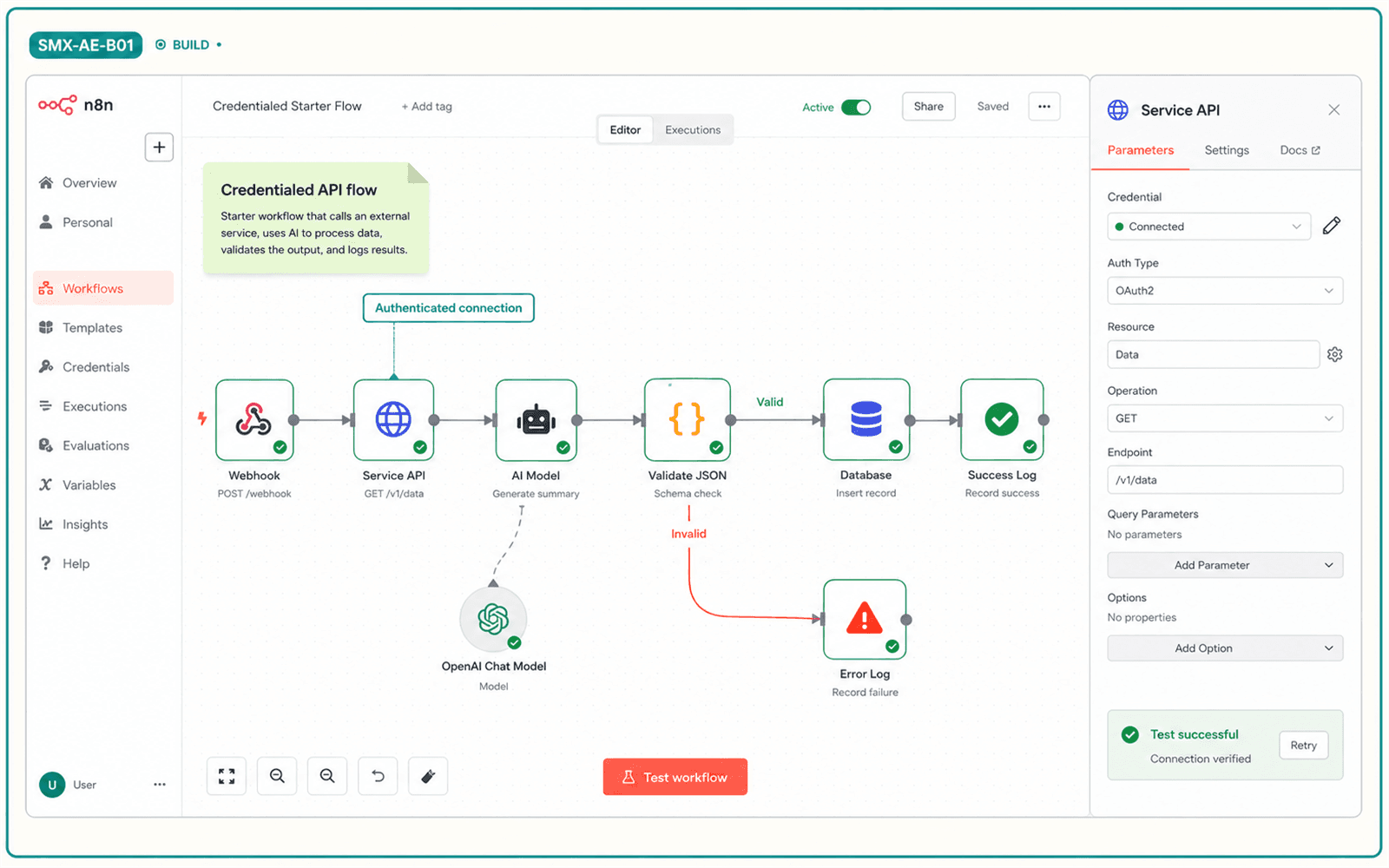
You leave with: A secure starter workflow with visible success and failure paths.
Illustrative project output. Interfaces and platform versions may change.
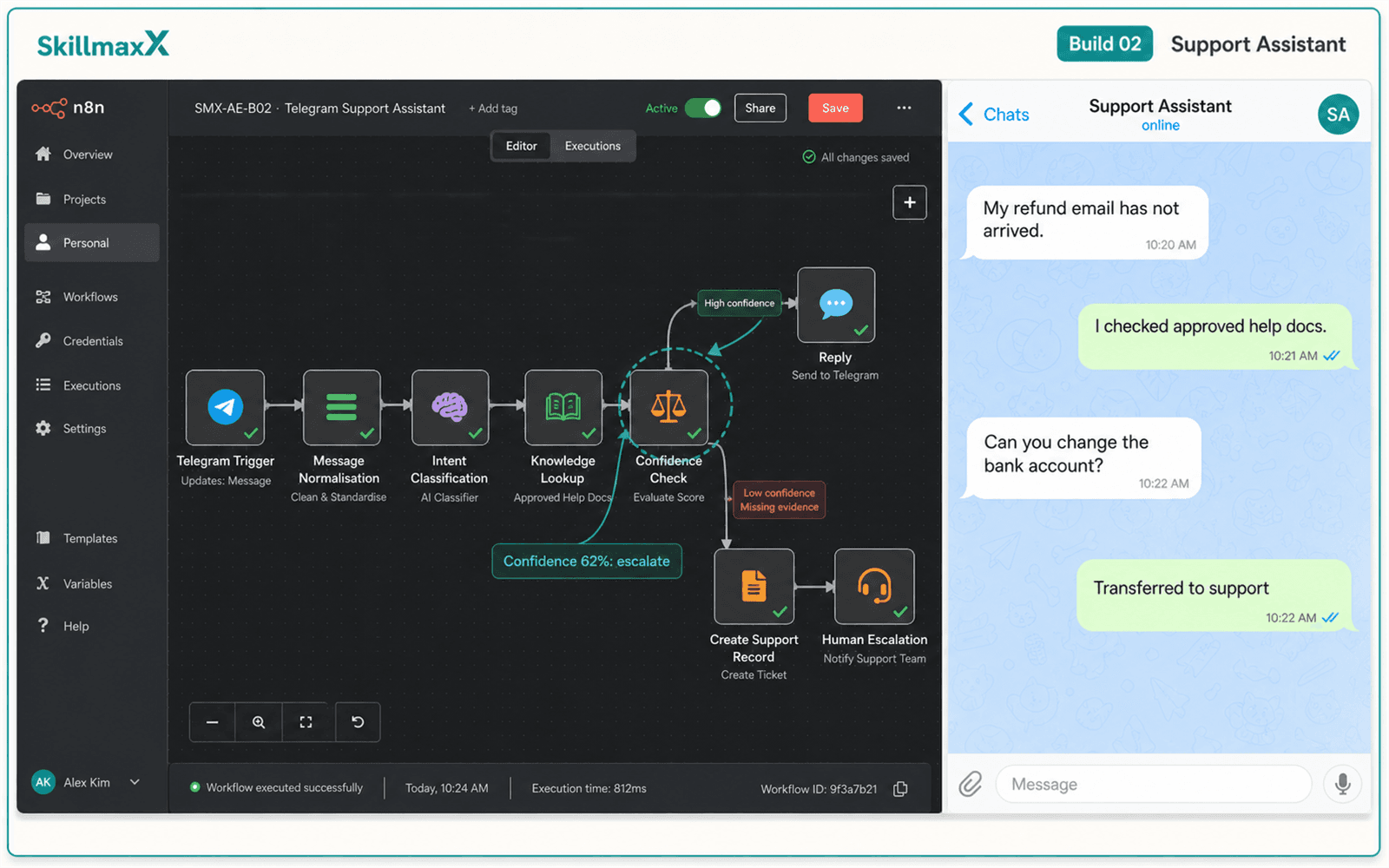
You leave with: A support flow that knows when to involve a person.
Illustrative project output. Interfaces and platform versions may change.
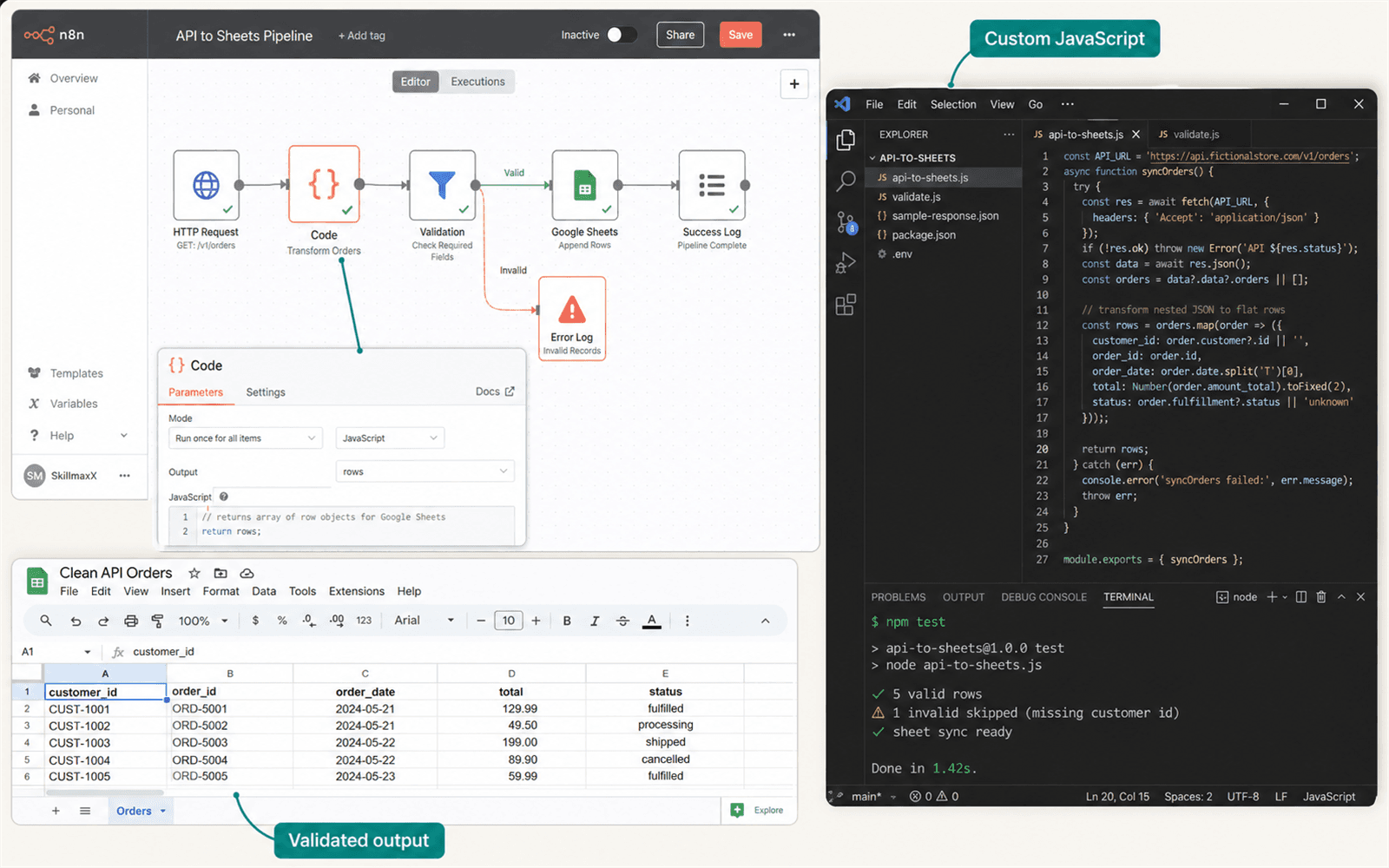
You leave with: A reliable custom transformation that moves beyond template-only automation.
Illustrative project output. Interfaces and platform versions may change.
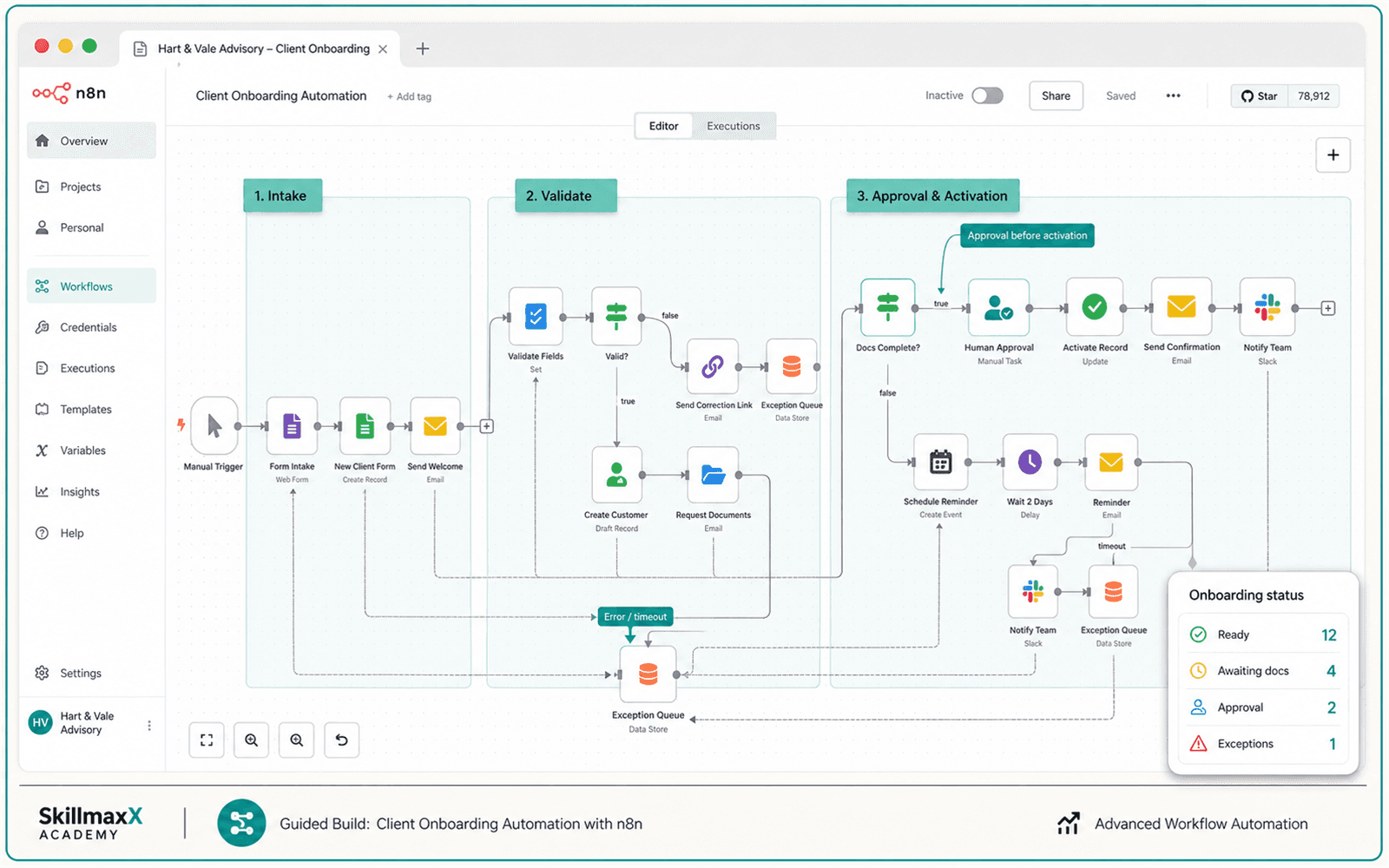
You leave with: An onboarding process with reminders, review and exception handling.
Illustrative project output. Interfaces and platform versions may change.
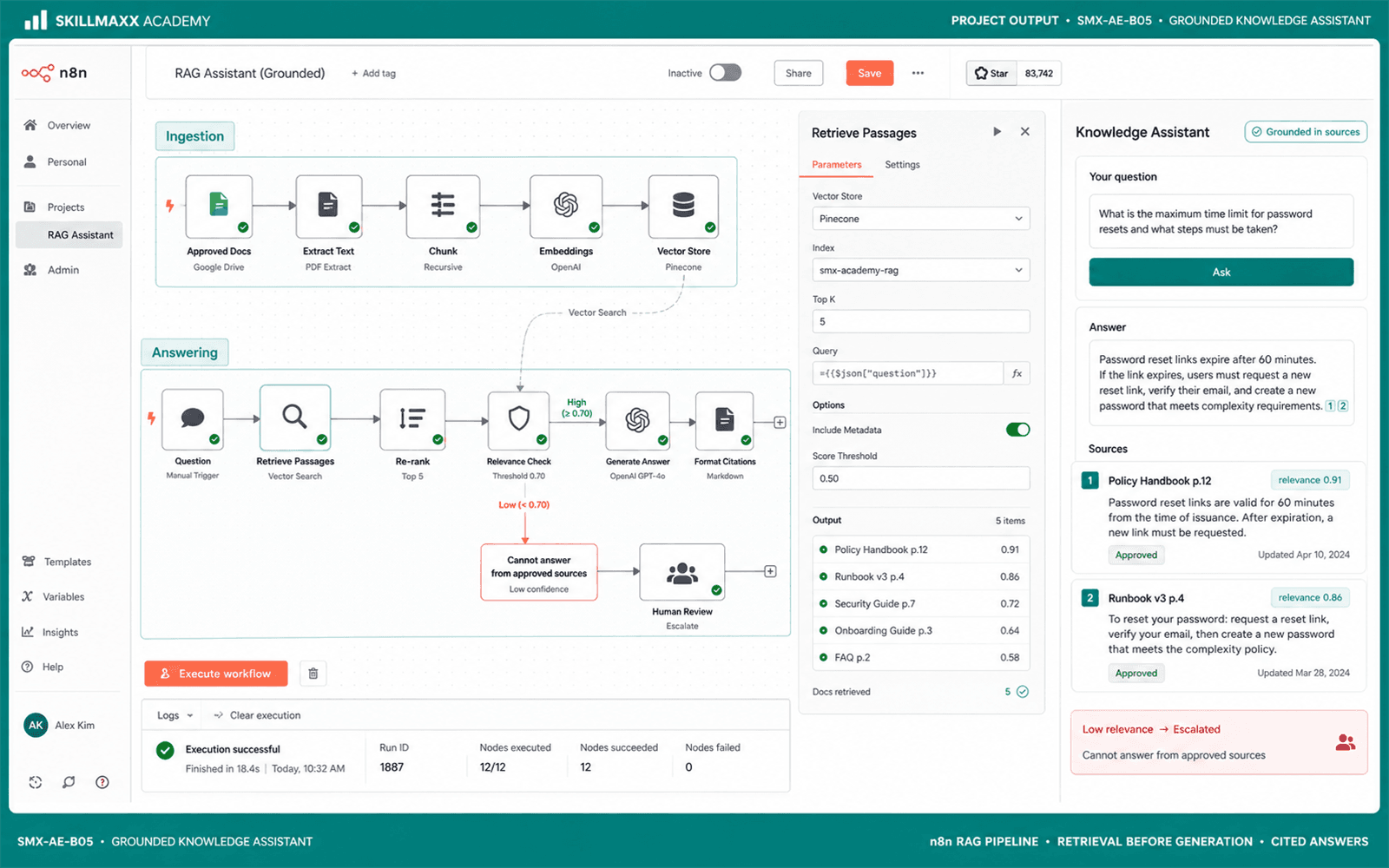
You leave with: A cited assistant with confidence checks and abstention behaviour.
Illustrative project output. Interfaces and platform versions may change.
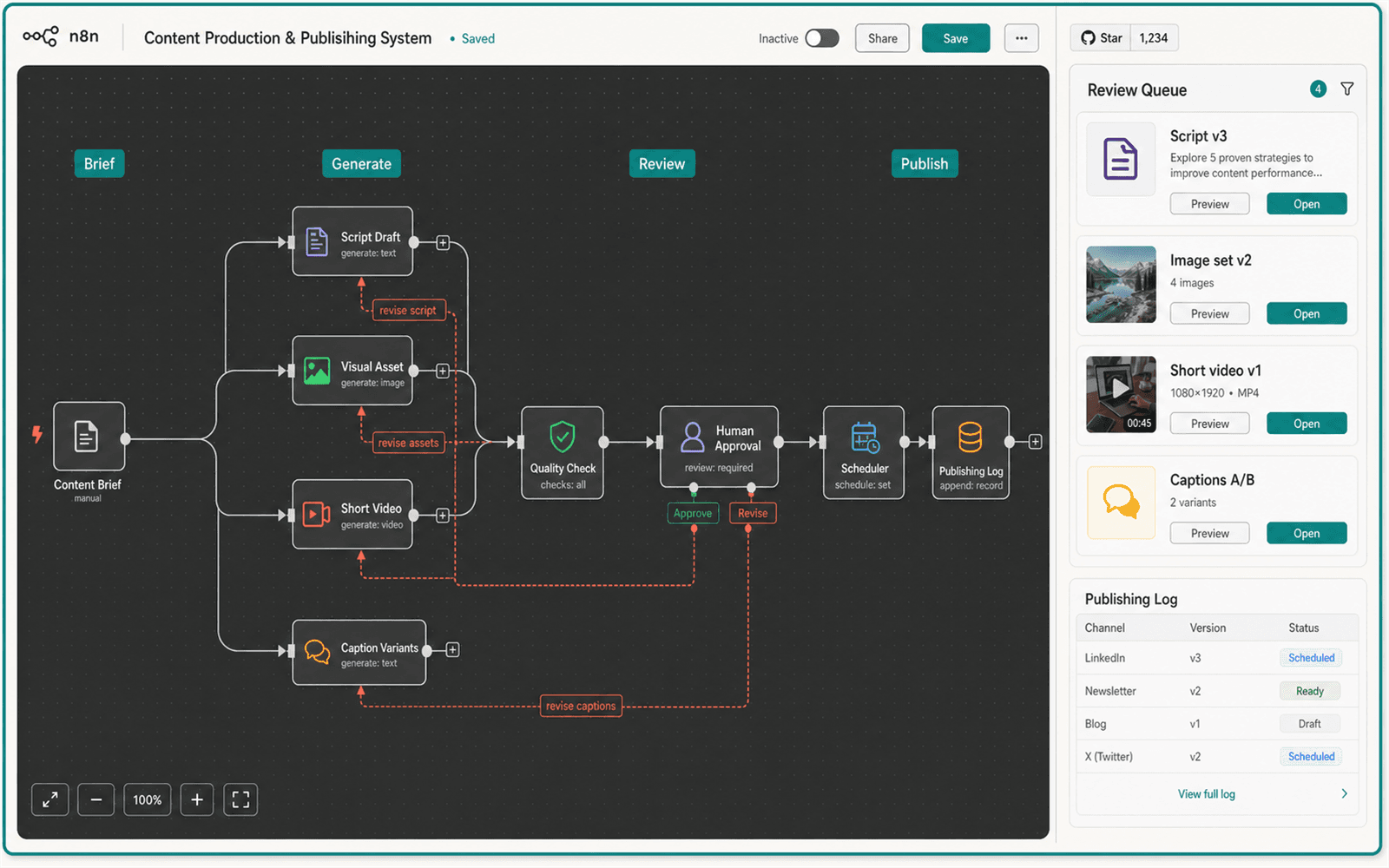
You leave with: A controlled content pipeline with an explicit approval gate.
Illustrative project output. Interfaces and platform versions may change.
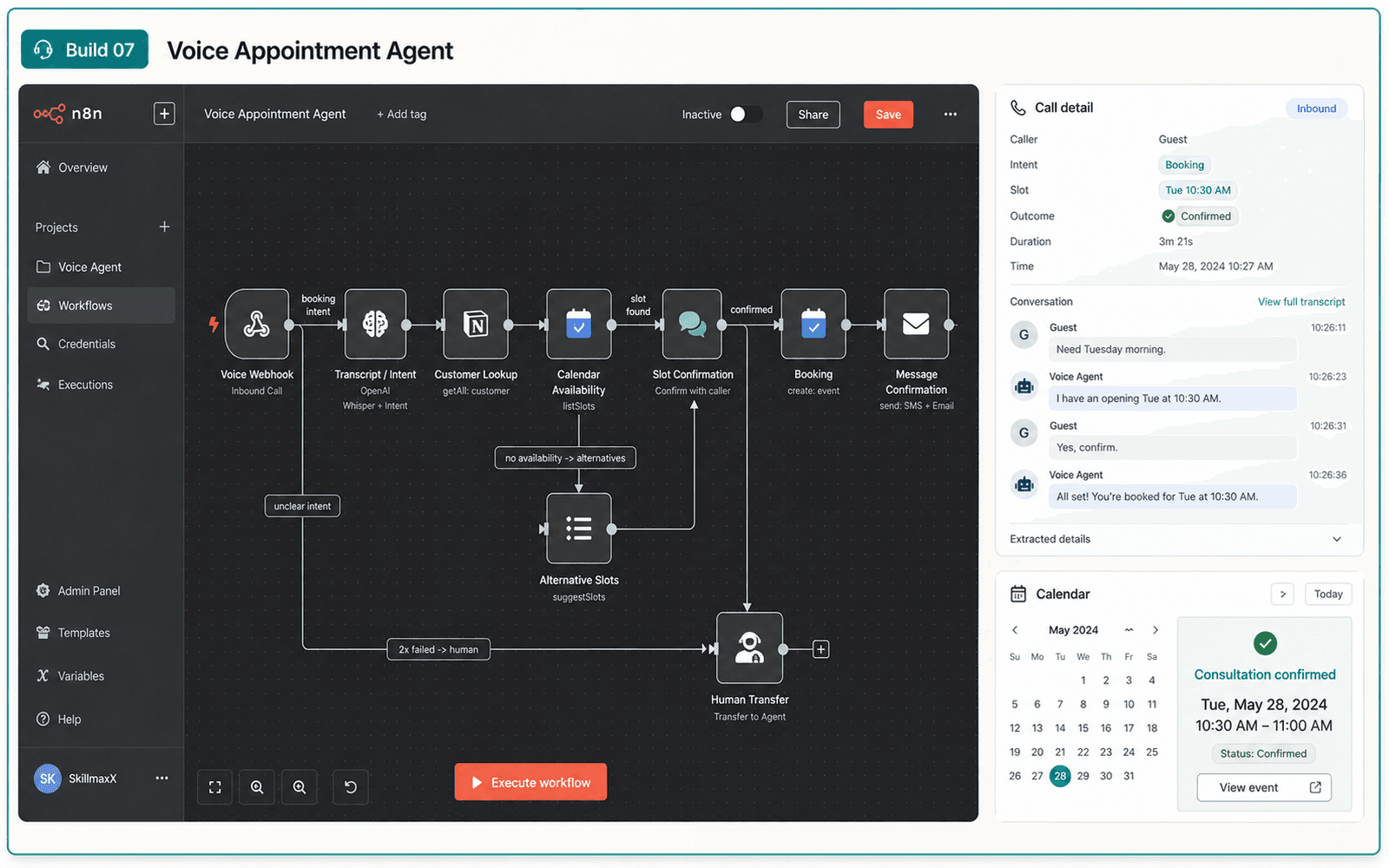
You leave with: A booking workflow with confirmation and human fallback.
Illustrative project output. Interfaces and platform versions may change.
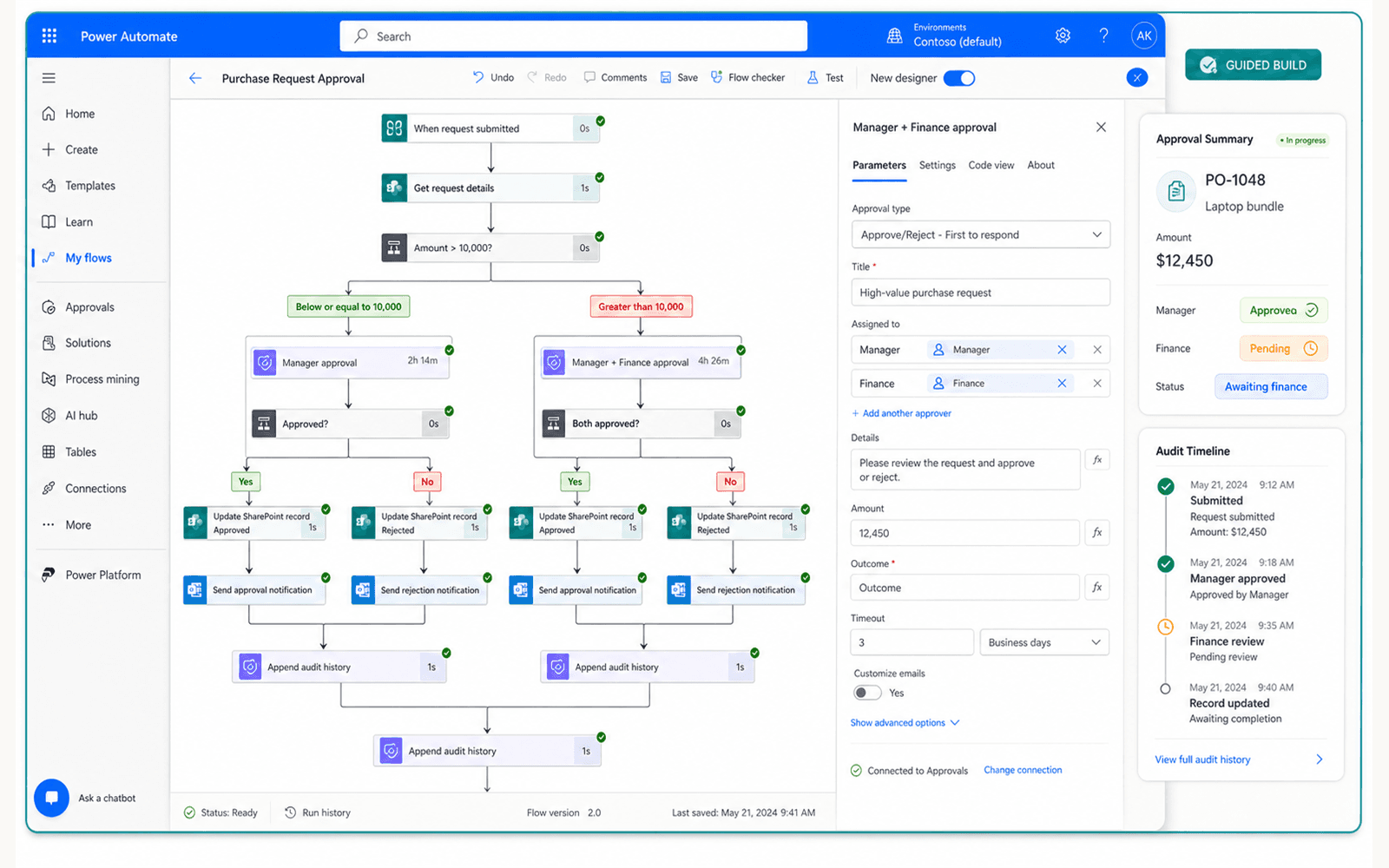
You leave with: A governed Microsoft 365 workflow with approvals, notifications, exception handling and an audit trail.
Illustrative project output. Interfaces and platform versions may change.
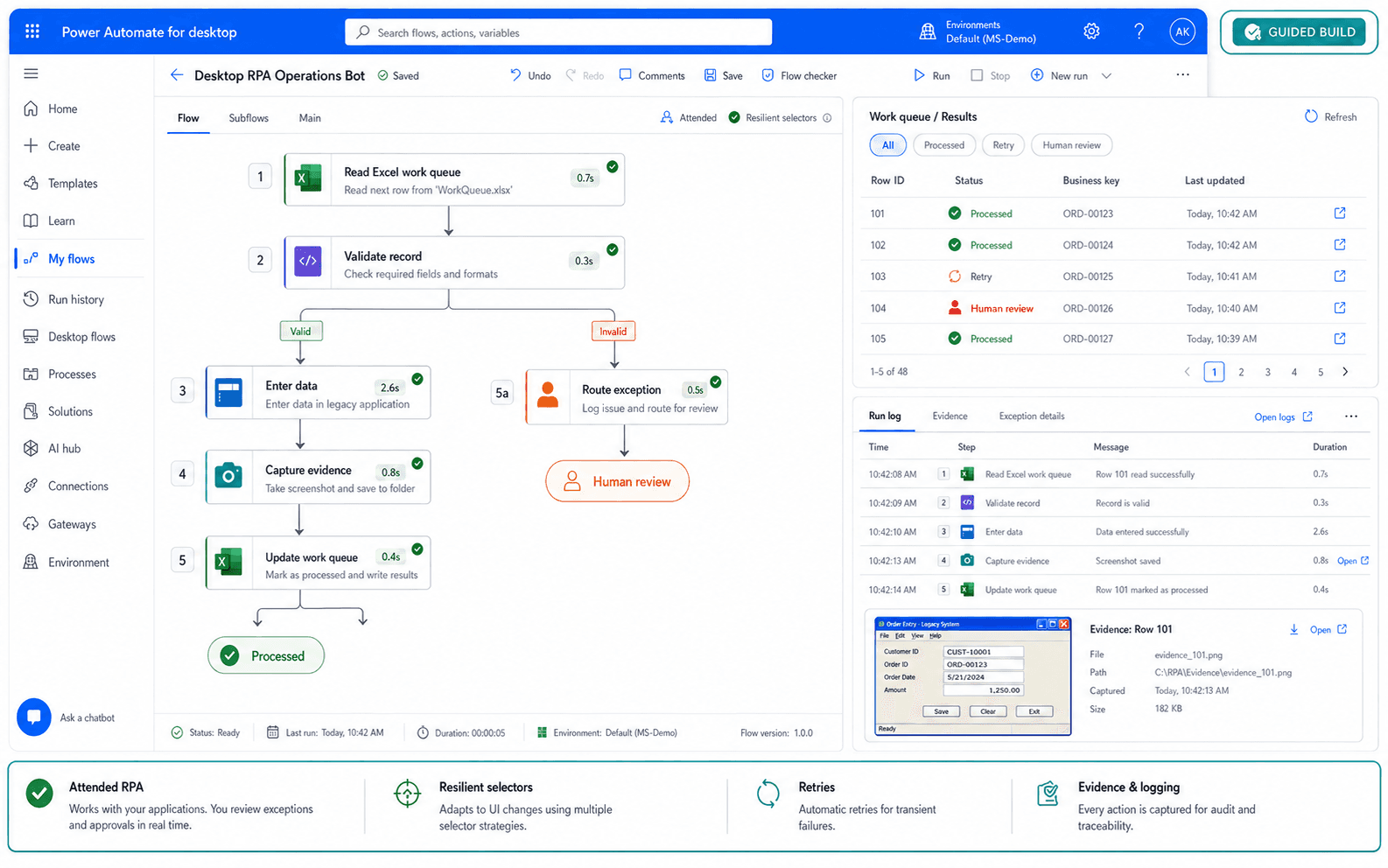
Skills demonstrated: Variables and loops · Subflows · UI elements and selectors · Excel and file handling · Errors, retries and evidence · Exception logging
You leave with: A maintainable attended RPA bot with reliable selectors, success and failure paths, and operating documentation.
Illustrative project output. Interfaces and platform versions may change.
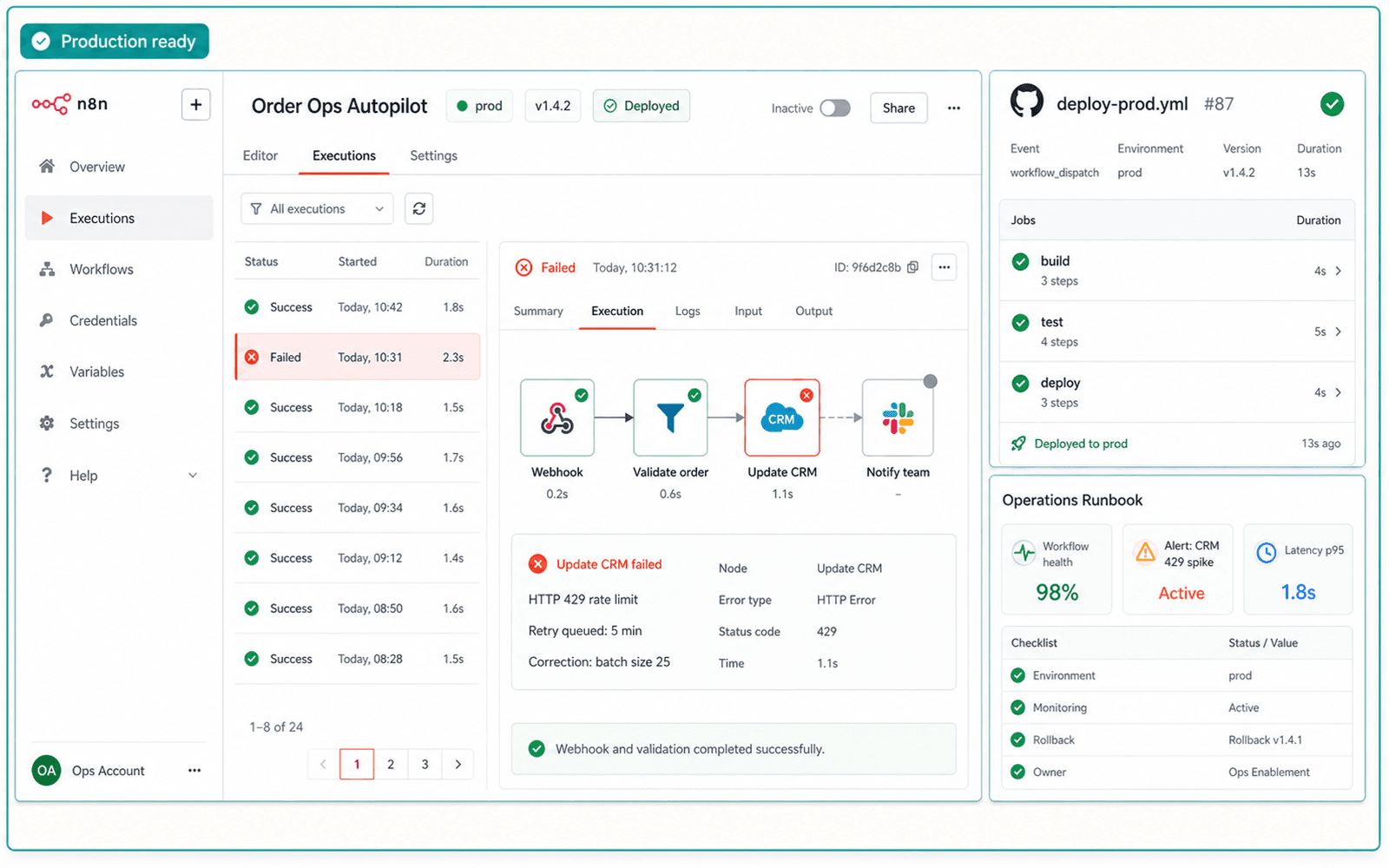
You leave with: A maintainable production package containing workflow documentation, deployment instructions, monitoring controls, exception procedures and handover guidance.
Illustrative project output. Interfaces and platform versions may change.
Your learning platform
Live classes end. Your learning workspace remains available.
Return to the SkillmaxX LMS for approximately one year to review recordings, revisit course material, download working resources and continue improving your guided builds.
Course dashboard
See your course, live sessions and learning access in one place.
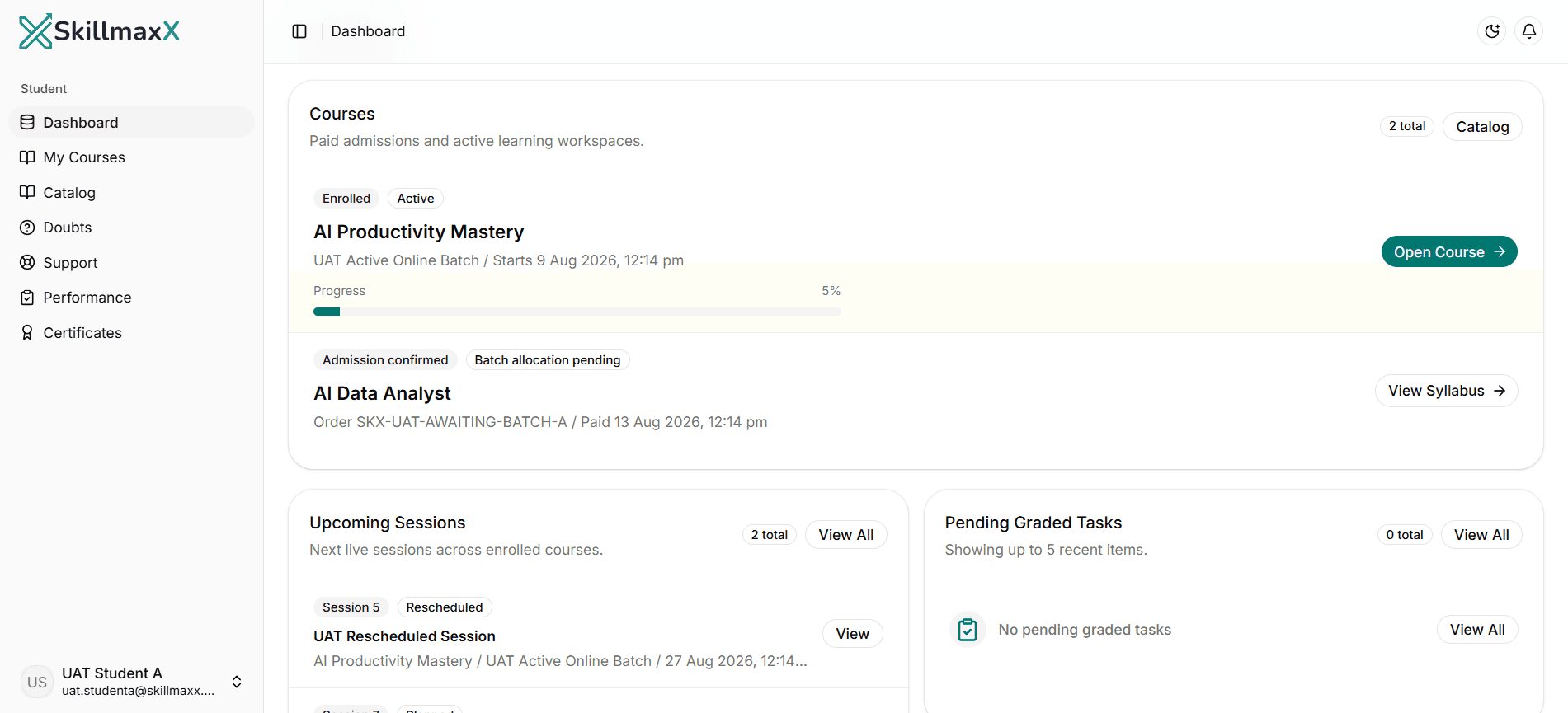
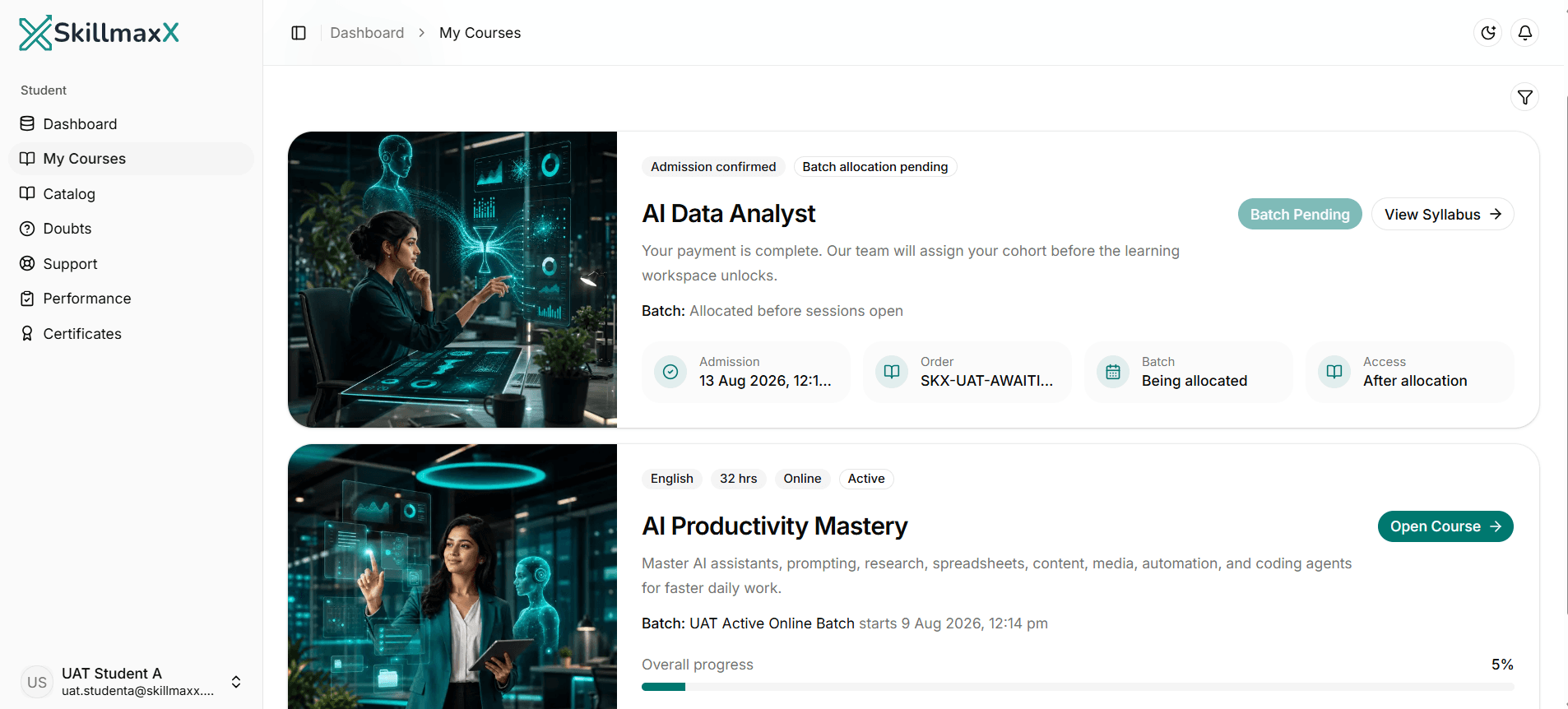
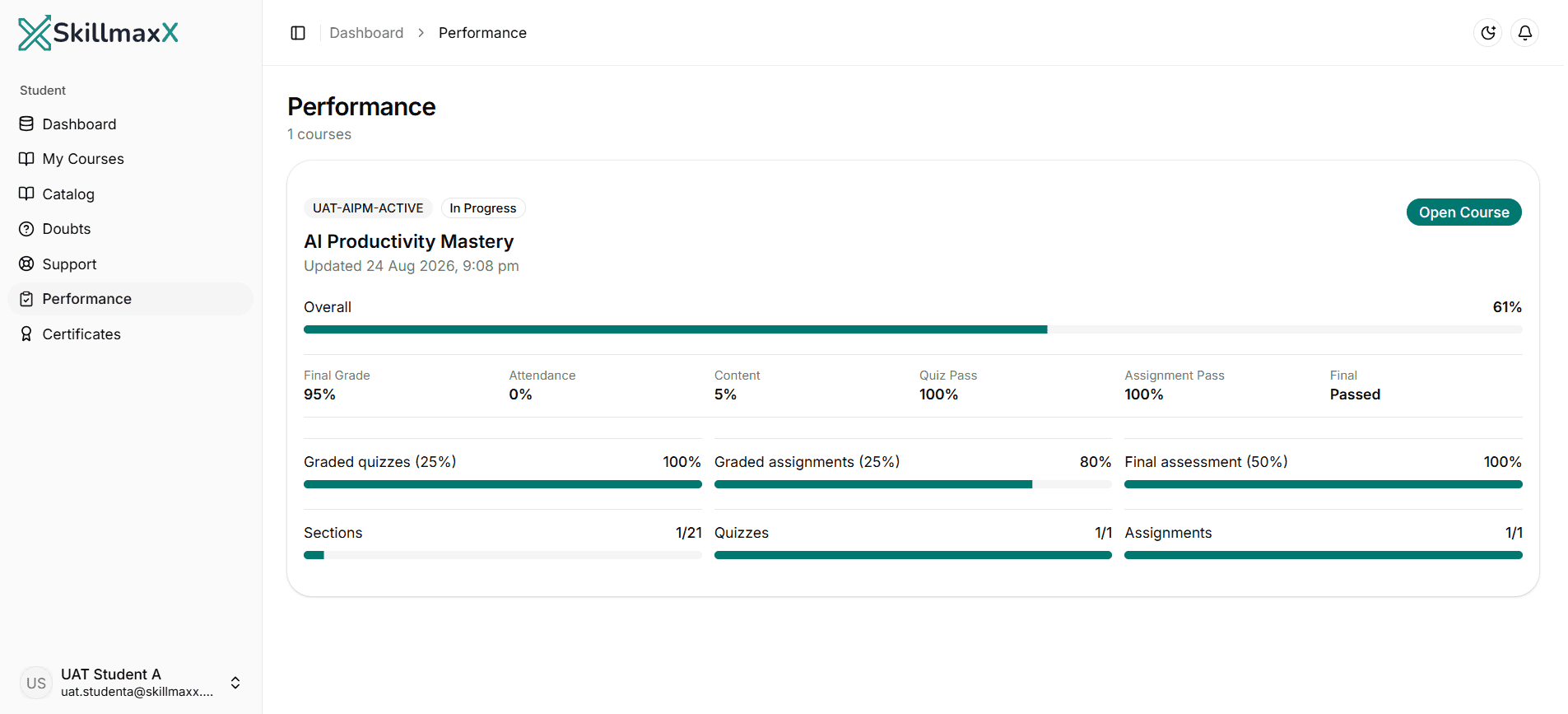
Live + LMS
How your learning works

Your instructor
Learn automation as an operating system, not a collection of templates
Munir Suri
Founder & Lead Instructor - SkillmaxX Academy
Engineer | IIM Kozhikode alumnus | Former Director, A.T. Kearney | Full Stack Development, IIT Madras | Digital Marketing, ISB Hyderabad
Munir Suri combines management, consulting, technology and digital-transformation experience. The programme connects workflow design with business controls, exception handling, operating ownership and measurable outcomes.
Live demonstrations make the build logic visible, while guided troubleshooting develops the judgment required to adapt a workflow when credentials, payloads or external services fail.
Munir leads the process-mapping, n8n, agent, deployment and handover work through practical builds and reviews.
Structured progression
Detailed curriculum
Progress from automation fundamentals into n8n, JavaScript, AI agents, RAG, voice workflows, Microsoft Power Automate, desktop RPA and production deployment. The programme combines API-led automation with practical experience automating Microsoft 365 and legacy user interfaces. 204 structured learning units are included.
Phase 1 · AI and automation foundations
Phase 2 · n8n workflow engineering
Phase 3 · Agents, knowledge and content systems
Phase 4 · Voice, Microsoft Power Platform and RPA
Phase 5 · Deployment and handover
Automation stack
Build Across AI, Cloud and Desktop Automation
n8n remains the primary platform for API-led AI automation, supported by a substantial Microsoft Power Automate Cloud and desktop RPA track.
Primary workflow and AI platform
Microsoft automation and additional platforms
Microsoft automation stack
Additional platforms explored
Specific models and platform versions may change as the ecosystem evolves. The programme preserves the stated workflow, engineering and deployment outcomes.
A complete programme
What your course fee includes
Requirements and costs
Prepare to build, test and troubleshoot
Basic comfort with browser tools, spreadsheets, email and online accounts.
A Windows 10 or Windows 11 laptop is strongly recommended for Power Automate for desktop labs. Mac users require access to a supported Windows environment for the RPA portion.
No advanced coding background is required; practical JavaScript is introduced in the programme.
Willingness to map real processes, investigate failures and document handover steps.
Plan four to eight hours of practice per week depending on prior technical comfort.
Course completion
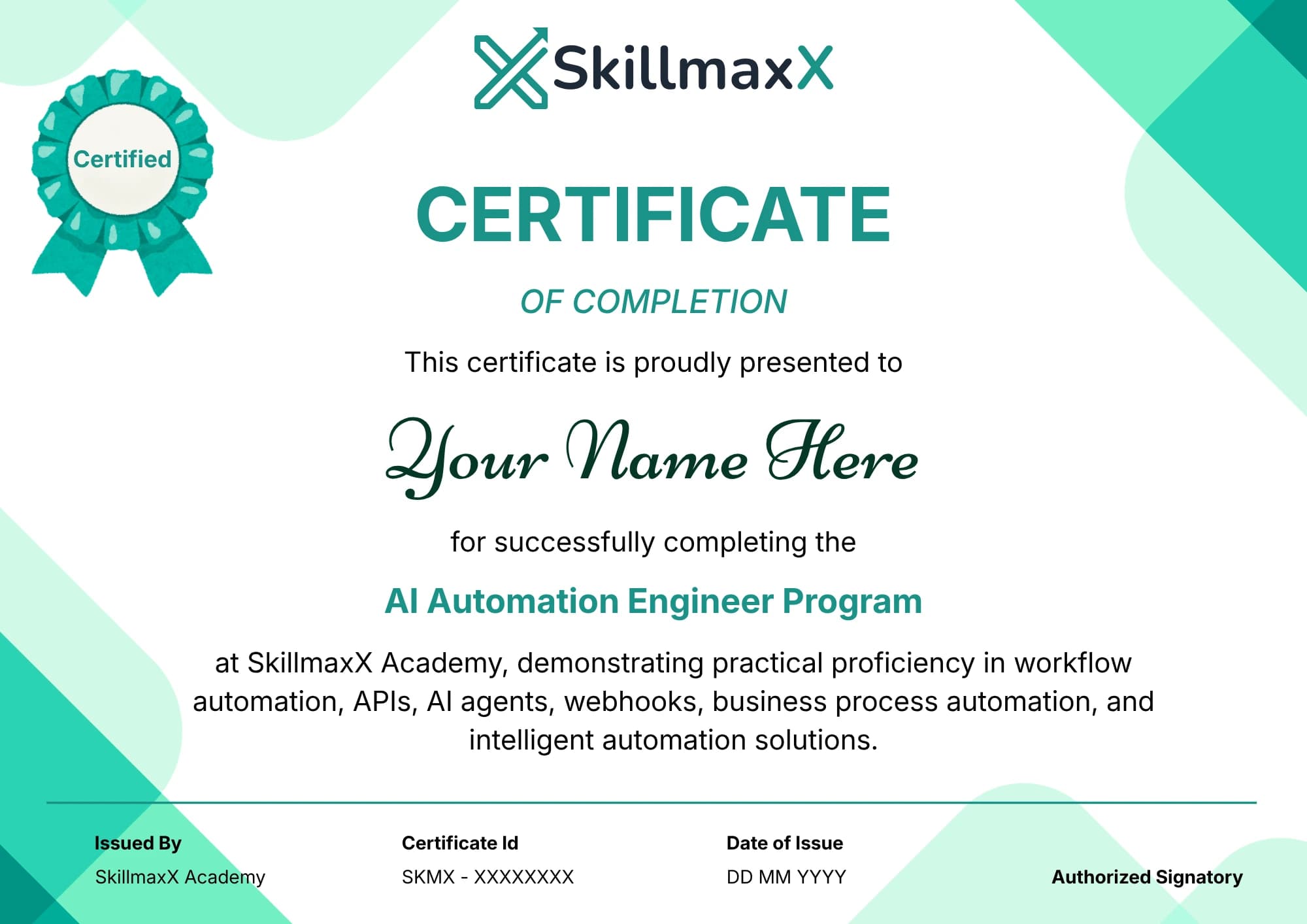
SkillmaxX completion certificate
Complete the published learning, practical work and course requirements to receive a SkillmaxX Academy completion certificate.
The certificate records completion of the programme. Your guided builds and documented project work provide the practical evidence behind it.
Course fee
Invest in job-ready automation capability
Course fee
₹35,999
inclusive of GST
MRP ₹59,999
You save ₹24,000 (40% off)EMI starting from ₹4,000/month. Eligibility and terms apply.
Your fee includes 90 live hours, ten guided systems, recordings, approximately one year of LMS access, workflow resources, deployment and handover guidance, profile assessment, resume and portfolio guidance, interview preparation and a completion certificate for eligible learners.
EMI options may be available for eligible learners. No payment is required to request a course guidance call.
Confirm the next live online or Gurgaon classroom schedule and technical setup during your guidance call.
Questions before joining
Frequently asked questions
Prepare to compete for your next automation role
Build the practical skills, employer-facing portfolio and interview story to pursue opportunities across AI automation, workflow engineering, integrations and RPA.
90 live hours · 10 portfolio builds · Structured career preparation