
Skillmaxx Academy
Professional using AI tools at a laptop

Live, instructor-led AI course

AI Productivity Mastery

Build practical AI workflows for research, spreadsheets, content, meetings and automation through live, hands-on training.

₹2,999

GST included

32 live hours
One-year LMS access
Recorded sessions
8 guided builds
Online + Gurgaon classroom
Certificate included

Practical outcomes

What you will learn

Build practical judgment and repeatable workflows that transfer across tools as AI platforms evolve.

1
Use AI confidently and responsibly
Understand generative AI, LLMs, hallucinations, privacy risks and safe everyday use.
2
Write prompts that produce better results
Apply structured prompting, examples, constraints, chaining and systematic improvement techniques.
3
Choose the right AI assistant
Compare ChatGPT, Claude, Gemini, Perplexity and DeepSeek for different professional and learning tasks.
4
Research with sources and verification
Use NotebookLM, Perplexity and Deep Research to produce organised, source-grounded work.
5
Analyse spreadsheets and business information
Generate formulas, clean data, identify patterns, create charts and communicate useful conclusions.
6
Create professional content and presentations
Produce documents, presentations, images, videos and social content with review controls.
7
Improve meetings, email and daily planning
Turn conversations and information into summaries, follow-ups, tasks and organised schedules.
8
Build simple automations and websites
Create a connected business workflow and learn how to brief AI website builders safely.

Designed for practical learners

Who this course is for

Working professionals
Improve research, documents, spreadsheets, presentations, meetings, email and planning.
Entrepreneurs and business owners
Use AI for business research, content, customer follow-ups, decision support and simple automation.
Marketing and operations professionals
Accelerate campaign research, content production, reporting, coordination and repetitive workflows.
Teachers and trainers
Create lesson plans, presentations, learning resources and research summaries.
College students and early-career professionals
Strengthen research, assignments, presentations, career preparation and responsible AI use.

No technical or coding background is required. Basic comfort with a computer, browser, email and common office tools is sufficient.

Guided builds

Build eight practical AI workflows with your instructor

Follow the instructor step by step to create eight useful AI workflows during the live sessions. Every build is supported by course materials available through the lms and recorded sessions available through the lms for approximately one year.
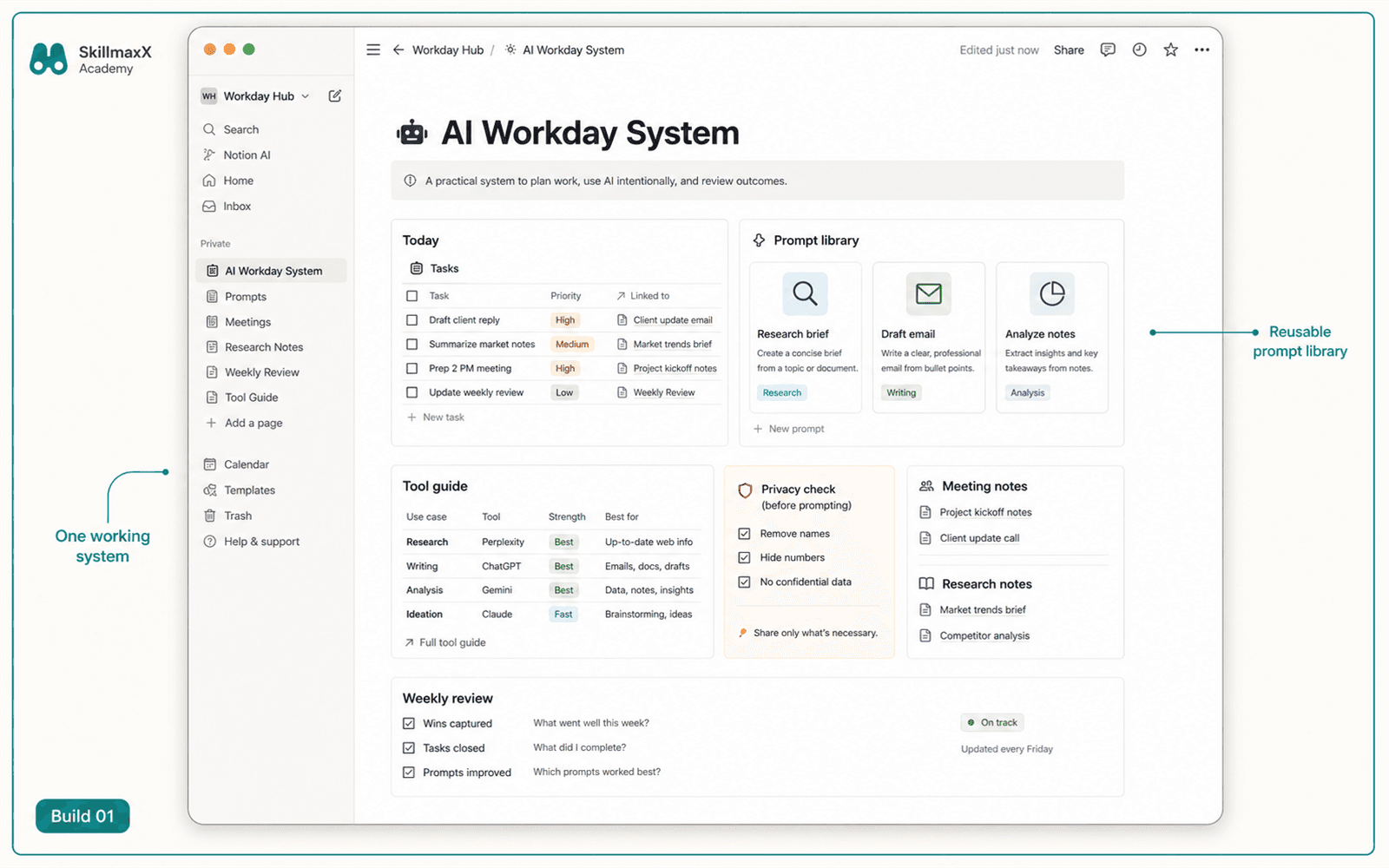
Illustrative guided build for Personal AI Productivity System
Guided buildBuild 1
Personal AI Productivity System
Organise reusable prompts, preferred AI tools, notes, checklists and daily working routines into one practical system.

Illustrative output covered during this guided build.
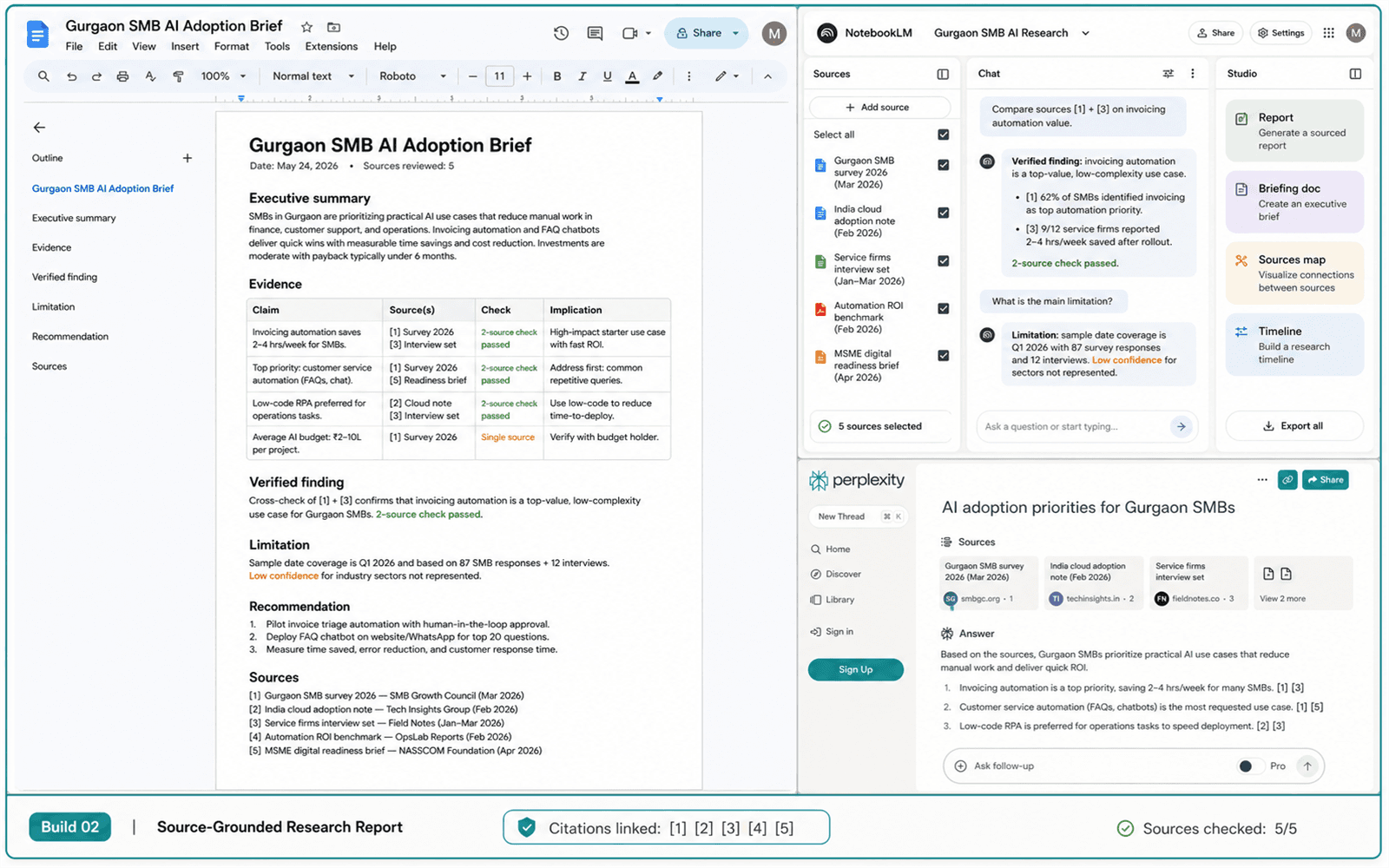
Illustrative guided build for Source-Grounded Research Report
Guided buildBuild 2
Source-Grounded Research Report
Use AI research tools to find information, verify claims, organise sources and prepare a cited report.

Illustrative output covered during this guided build.
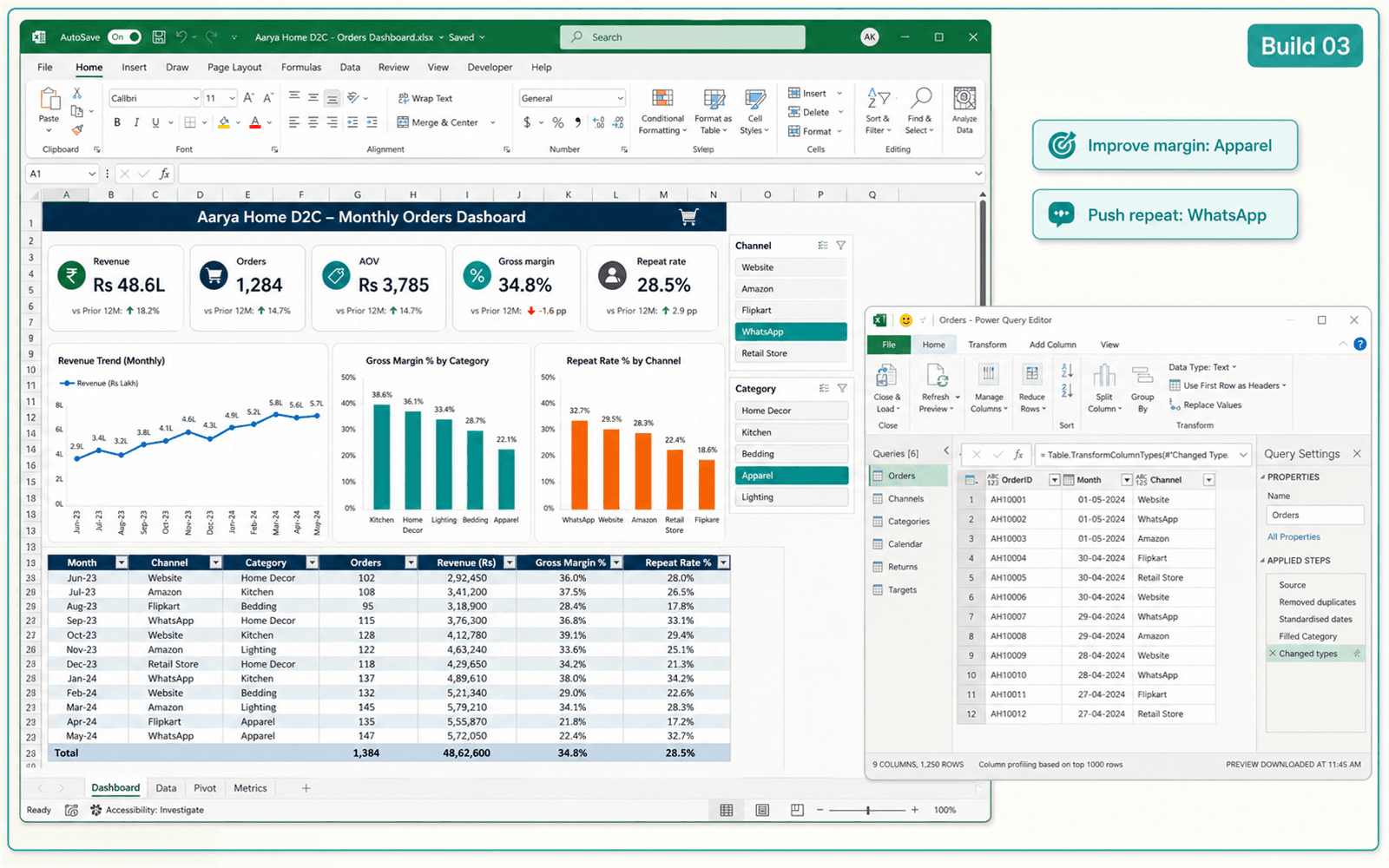
Illustrative guided build for Spreadsheet Analysis and Decision Dashboard
Guided buildBuild 3
Spreadsheet Analysis and Decision Dashboard
Clean data, generate formulas, identify patterns, create charts and communicate useful conclusions.

Illustrative output covered during this guided build.
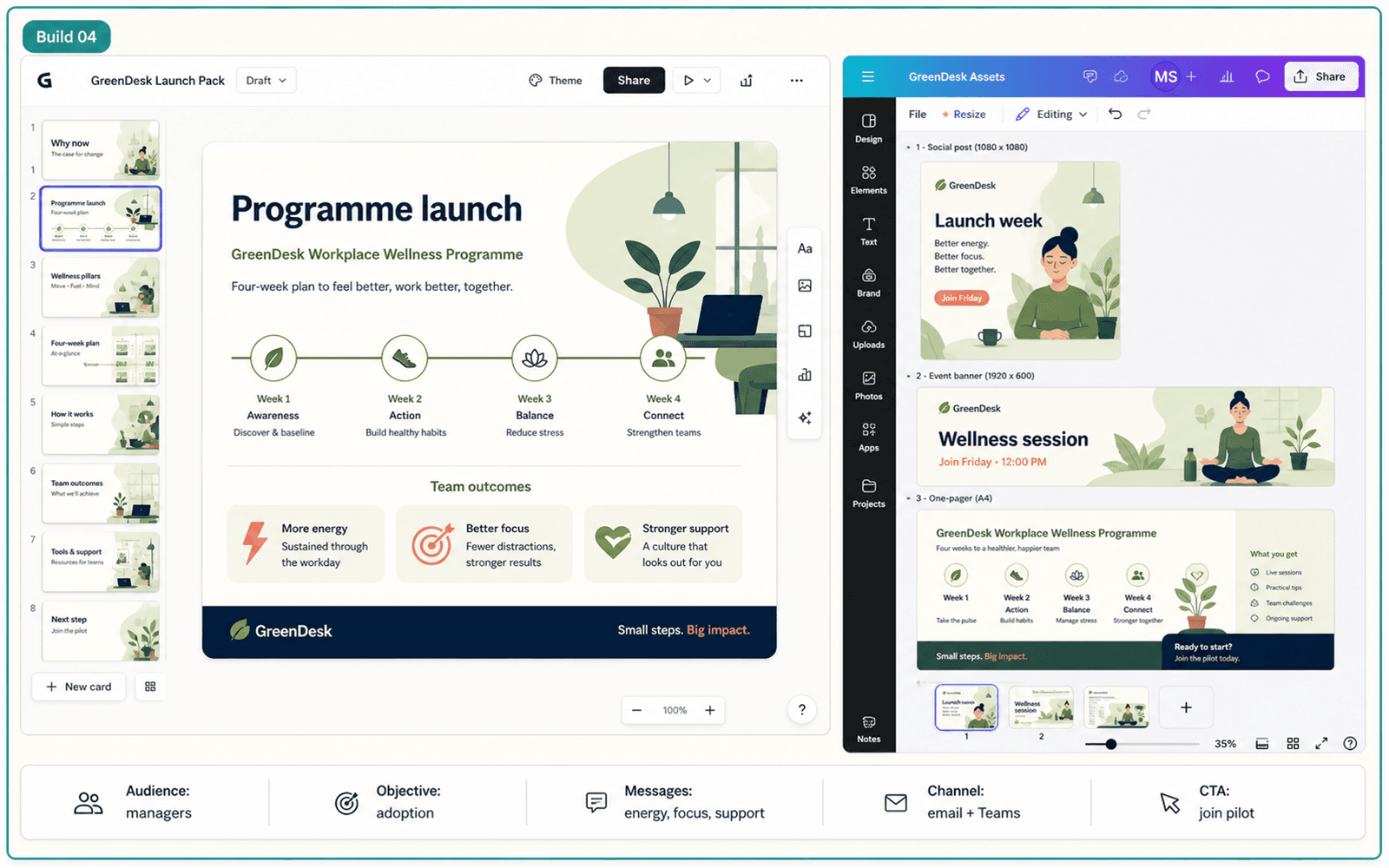
Illustrative guided build for Content and Presentation Pack
Guided buildBuild 4
Content and Presentation Pack
Develop a content plan, written material, presentation and supporting visuals around one idea.

Illustrative output covered during this guided build.
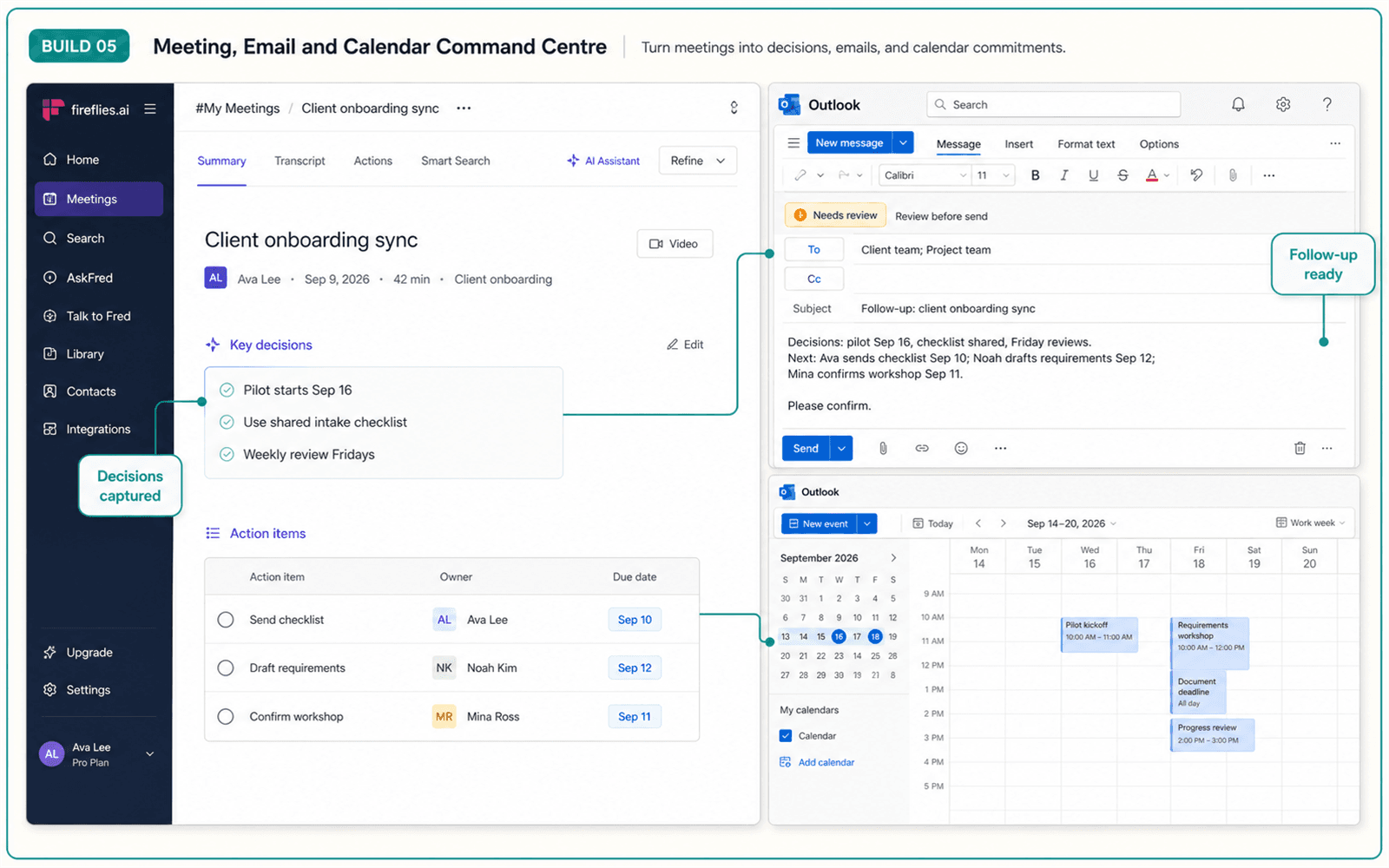
Illustrative guided build for Meeting, Email and Calendar Command Centre
Guided buildBuild 5
Meeting, Email and Calendar Command Centre
Turn meeting notes, emails and commitments into summaries, follow-ups, tasks and organised schedules.

Illustrative output covered during this guided build.
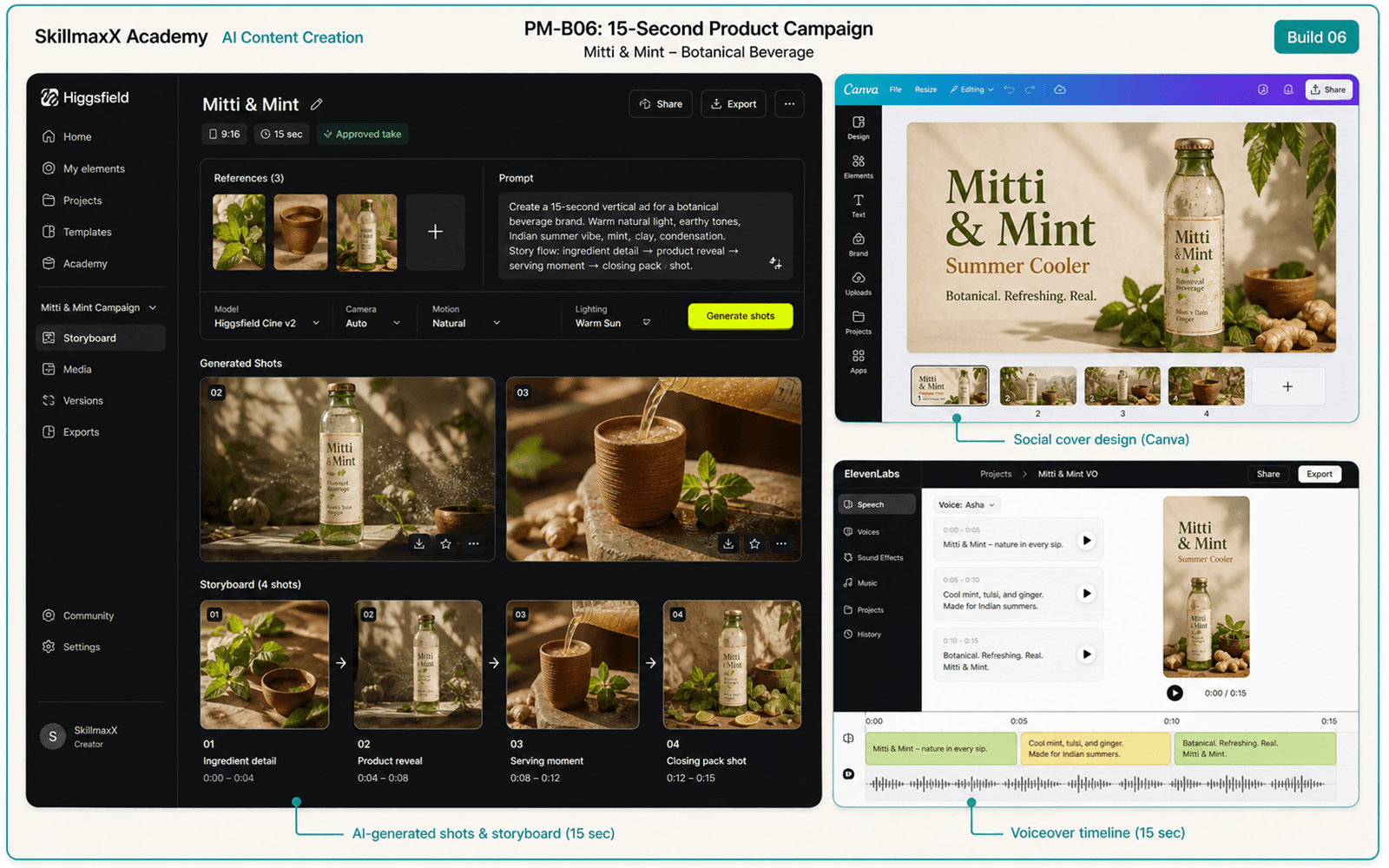
Illustrative guided build for Visual and Media Creation Workflow
Guided buildBuild 6
Visual and Media Creation Workflow
Create coordinated images, video concepts, storyboards, voice assets and supporting media using AI tools.

Illustrative output covered during this guided build.
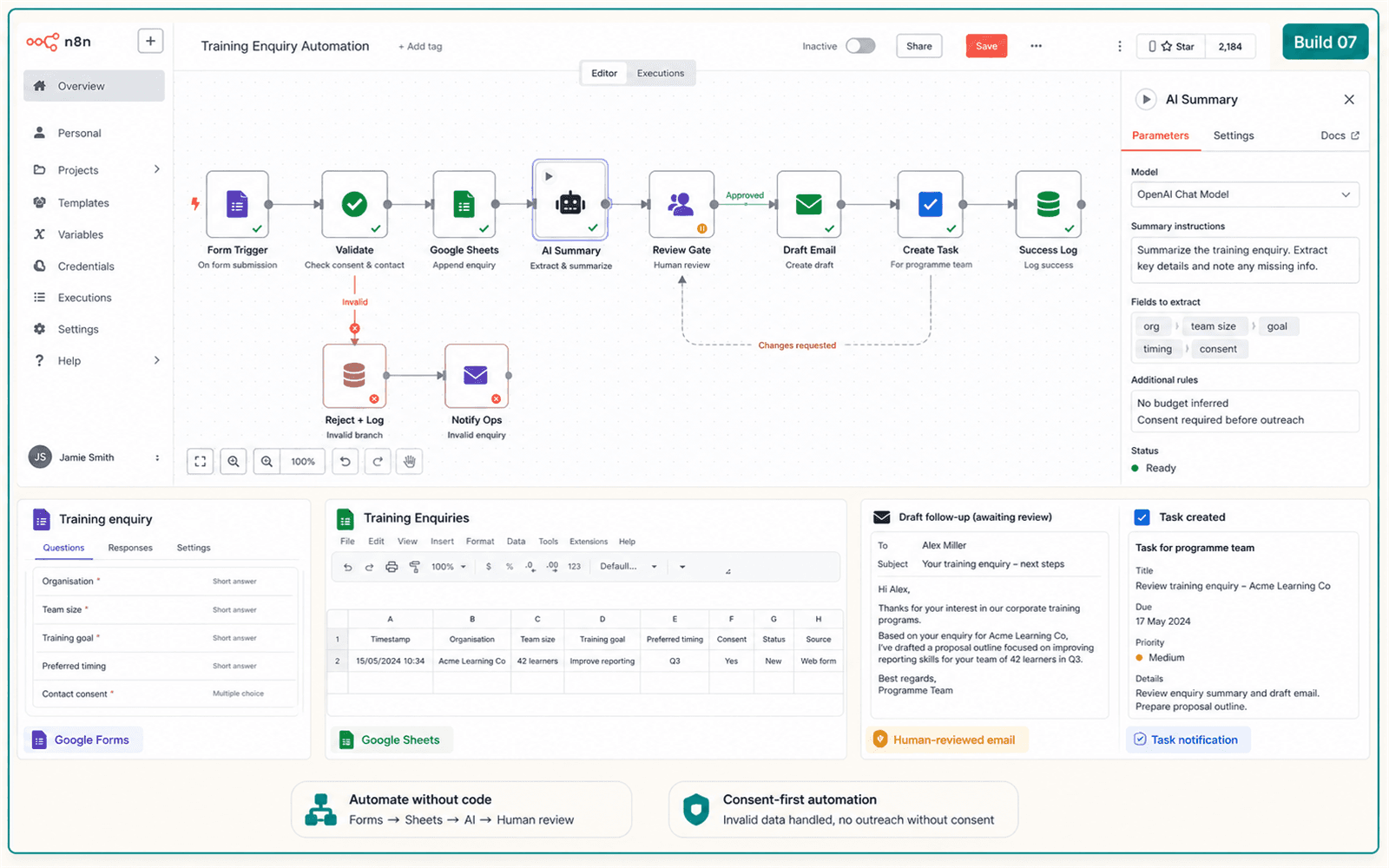
Illustrative guided build for Simple Business Automation
Guided buildBuild 7
Simple Business Automation
Connect a form, spreadsheet, AI-generated summary, follow-up email and task notification into one workflow.

Illustrative output covered during this guided build.
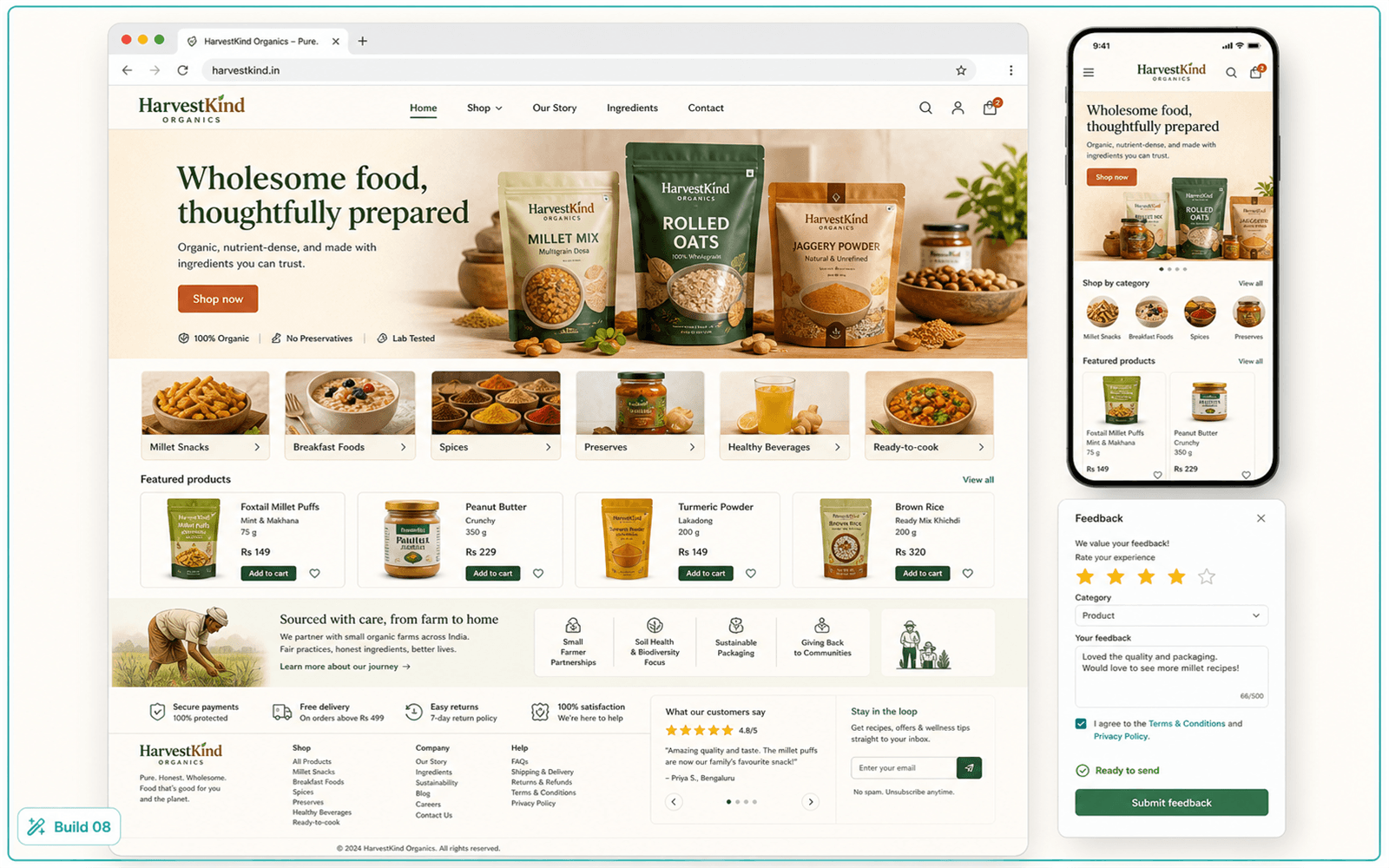
Illustrative guided build for AI-Built Website and Customer-Feedback Application
Guided buildBuild 8
AI-Built Website and Customer-Feedback Application
Brief an AI website builder to create a responsive business website and a simple customer-feedback application flow.

Illustrative output covered during this guided build.

Your learning platform

Live classes end. Your learning access continues.

Return to the SkillmaxX LMS for approximately one year to revisit recorded sessions, review course materials and reinforce the workflows covered during live training.

Approx. one-year LMS access

Course dashboard

See your course, live sessions and learning access in one place.
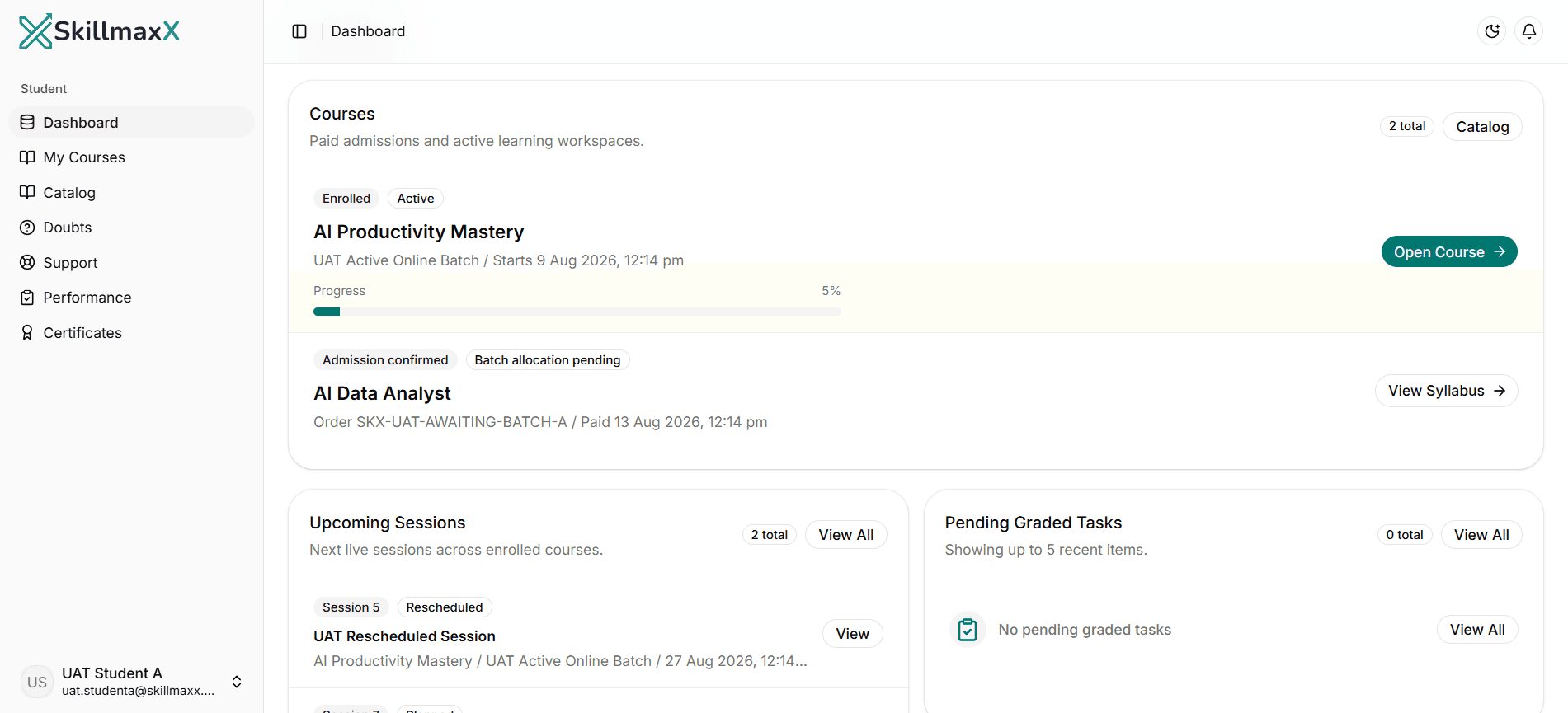
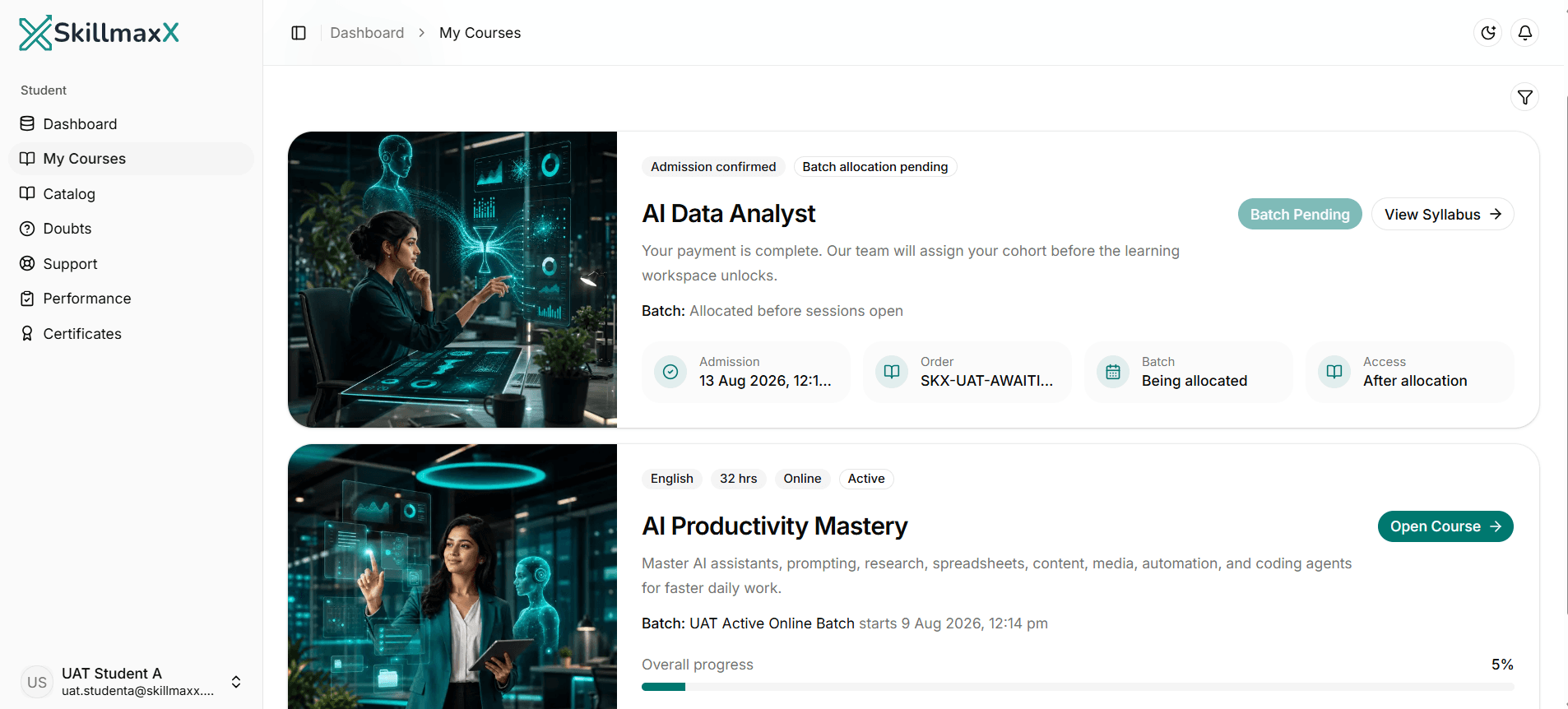
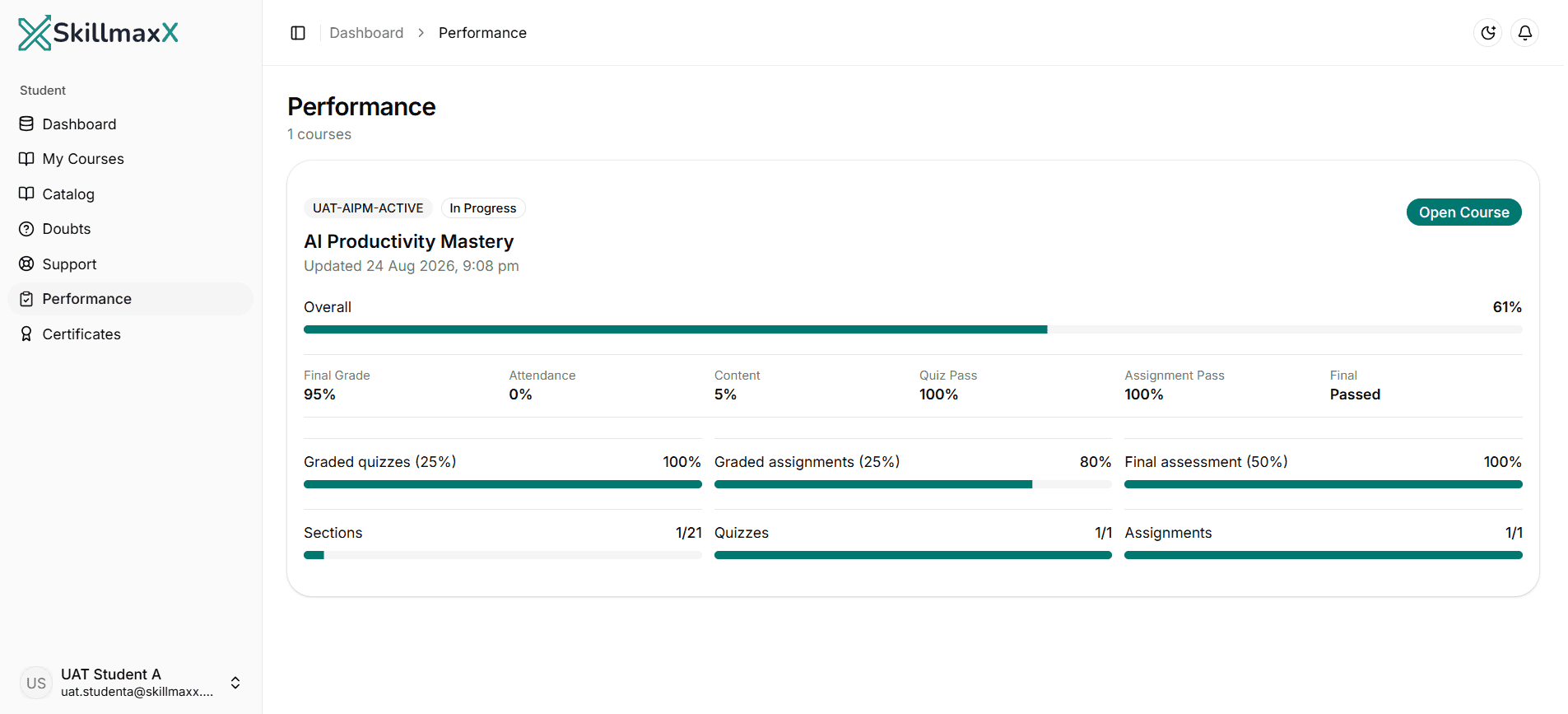
1 of 3
Course dashboard in the SkillmaxX learning platform
Structured learning path in the SkillmaxX learning platform
Learning progress in the SkillmaxX learning platform

Live + LMS

How your learning works

1
Prepare in the LMS
Review the lesson outline, required accounts and introductory material.
2
Attend the live session
Learn the concept and watch the instructor demonstrate complete workflows.
3
Build alongside the instructor
Practise using your own laptop, accounts and working files.
4
Revisit the recording
Review explanations and demonstrations through the LMS.
5
Complete the guided activity
Apply the learning to a realistic professional, business or study task.
6
Ask and improve
Use course support channels for clarification while improving your workflow.
7
Continue learning for one year
Return to lessons, recordings and course materials whenever needed.
Munir Suri, Founder and Lead Instructor at SkillmaxX Academy

Your instructor

Learn from someone who understands business and technology

Munir Suri

Founder & Lead Instructor - SkillmaxX Academy

Engineer | IIM Kozhikode alumnus | Former Director, A.T. Kearney | Full Stack Development, IIT Madras | Digital Marketing, ISB Hyderabad

Munir Suri brings together management education, technology capability and transformation experience. He is an IIM graduate, has consulting experience with A.T. Kearney, completed full-stack development studies through IIT Madras and digital-marketing education through ISB Hyderabad, and has worked on technology and digital-transformation initiatives throughout his career.

He teaches learners to connect AI tools with real work, business processes and practical outcomes, without turning the course into a programming prerequisite.

Munir personally leads the AI foundations, prompting, research, productivity, automation and guided build sessions.

21 structured sections

Detailed curriculum

161 structured learning units across 32 hours of live, instructor-led work.

Tools and workflows

Learn the workflows, not just the tool names

The course develops transferable AI skills and practical workflows. Core platforms receive hands-on use, while additional tools are demonstrated and compared so learners can select the right option for their needs.

Core hands-on tools

C
ChatGPTAI assistant workflows
C
ClaudeWriting, reasoning and review
G
GeminiGoogle AI workflows
P
PerplexityResearch work
N
NotebookLMSource-grounded knowledge
EO
Excel or Google SheetsSpreadsheet analysis
C
CanvaDesign and visual content
G
GammaPresentations
K
KreaVisual creation workflow
B
BufferSocial media management
F
FirefliesMeeting productivity
MO
Motion or Trevor AIScheduling and planning
S
ShortwaveEmail productivity
N
n8nSimple automation
B
BoltAI website and app building

Additional tools explored and compared

Writing and content

DeepSeekChatGPT Deep ResearchGemini Deep ResearchJasperAnywordWriterWordtuneProWritingAid

Spreadsheets and analysis

BricksRowsGigasheetSheetAIFormulaBot

Design and presentations

PitchBeautiful.aiPresentations.AI

Images and video

ChatGPT DALL-EMidjourneyIdeogramAdobe FireflyGoogle FlowRunwayHiggsfieldDescriptPomeliPika

Meetings, voice and audio

ElevenLabsSarvam AIHume AISpeechify

Notes, scheduling and email

Notion AIGranolaTealKickresumeClickUp AIHive

Social media

FlickFeedHiveMetricool

Automation

MakeZapierPower Automate

Website and app builders

FramerLovableReplit

Coding agents

Claude CodeCodexCursorGitHub Copilot

Tools and platform features evolve quickly. SkillmaxX may update specific tools while preserving the stated learning outcomes and workflows.

A complete programme

Everything included in your learning experience

32 hours of live instructor-led learning
Eight guided builds
Session recordings
Approximately one year of LMS access
Course materials
Completion certificate for eligible learners

Requirements

Before you join

Basic comfort with a computer, browser, email and common office tools.

A laptop with a reliable internet connection.

No coding experience required.

A Google or Microsoft account is helpful.

Willingness to practise and compare different AI outputs.

Third-party tool costs
If a tool interface changes, you will learn how to adapt the workflow with practical alternatives.

Course completion

SkillmaxX completion certificate

Learners who complete the required live or recorded learning, practical activities and course-completion requirements receive a SkillmaxX Academy completion certificate.

The certificate supports professional-development records and conversations about the practical AI workflows completed during the programme.
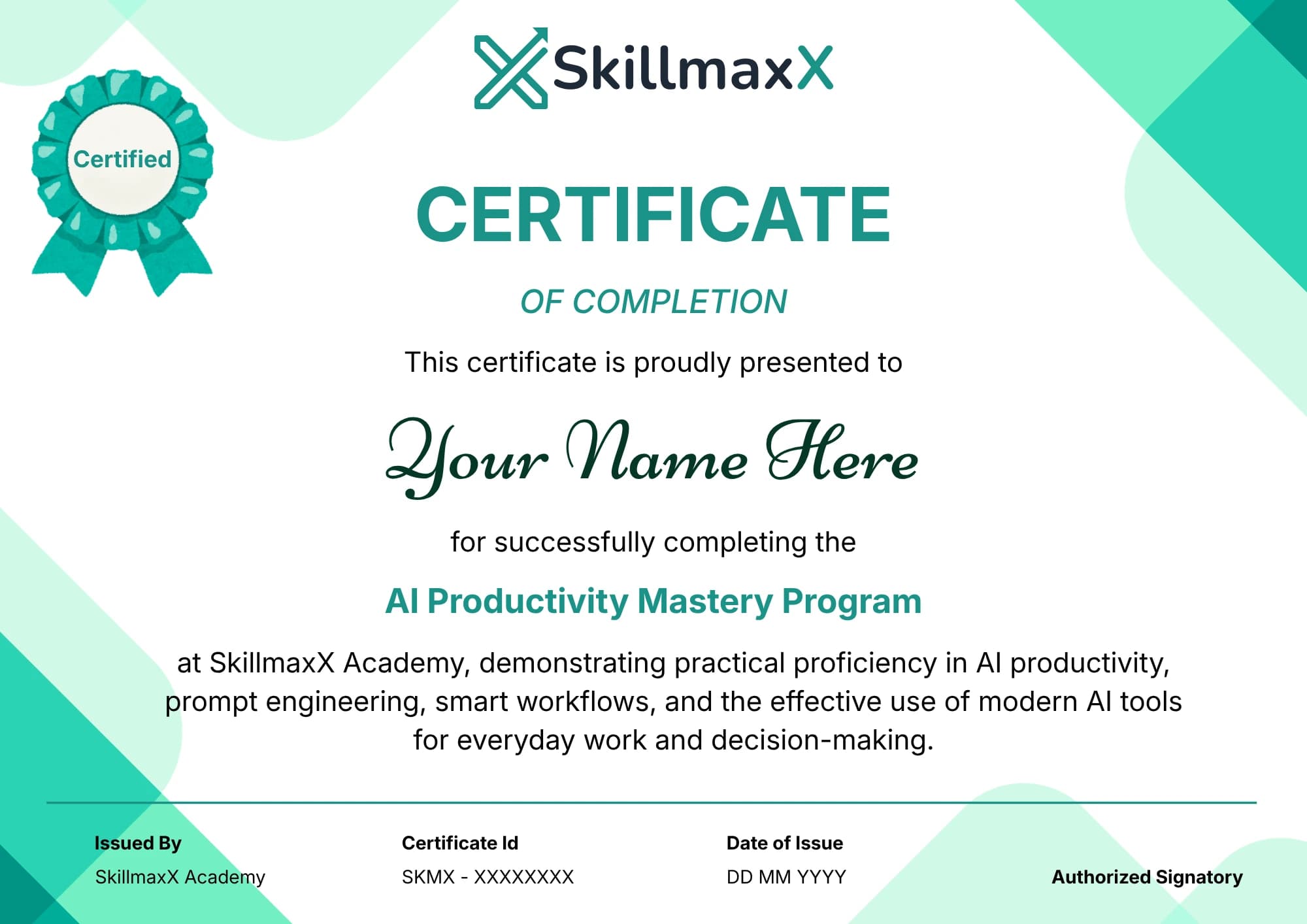
Sample SkillmaxX Academy completion certificate

Course fee

Build practical AI capability for ₹2,999

Course fee

₹2,999

₹2,999 inclusive of GST

Your course fee includes 32 hours of live instructor-led learning, eight guided builds, session recordings, approximately one year of SkillmaxX LMS access, course materials and a completion certificate for eligible learners.

Course fee is inclusive of GST.

Enrol Now - ₹2,999

Online and Gurgaon classroom formats are available. Batch allocation follows admission confirmation.

Questions before enrolment

Frequently asked questions

Build practical AI skills you can keep using

Join 32 hours of live, hands-on training and continue learning through structured LMS content, guided builds and recorded sessions for approximately one year.

No coding experience required.

Enrol Now - ₹2,999